How to add a player who will not install the app
Every group has one. They come every week, and they are not downloading anything. Seat them by name and they play the whole night, on a court, in the standings, having touched nothing.
Why this matters
What stops a host moving to a new app is not the price. It is asking fourteen people to install something before Tuesday, when one of them will not.
From the app
Five steps
- 1
Open the event lobby
From Home, open the event you are hosting. The lobby is the roster: who has joined, who is waiting, and whether the night is ready to start.
- The card at the top names anything standing between you and round one.
- The roster counts against the player cap, so you see the room you have left.

The lobby of an open event, with the roster full at 8 of 8. - 2
Add a guest
Add or invite opens the player search. Under it is the row for somebody who is not on SmashDrop at all: type their name and tap Add Guest.
- They are added right away. No account needed.
- One name and a tap. Got a list? Build roster adds a whole group at once.
- On an event filtered by category, it asks which one they play in.
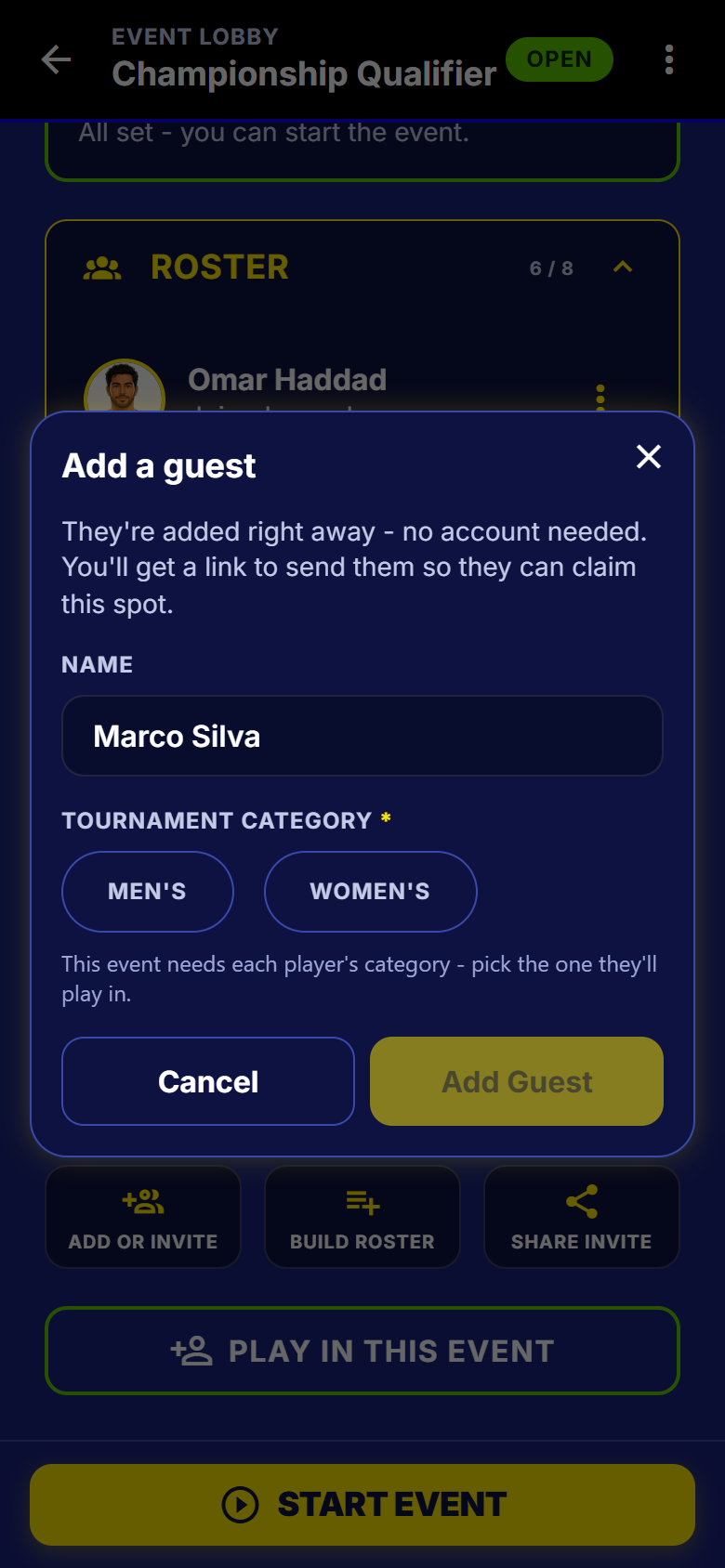
The add-a-guest dialog. The category row only appears on an event that filters by one. - 3
The spot lands on the roster
The guest sits with everybody else, carrying a GUEST pill and reading "Joined - spot not claimed" until they take it over.
- A guest can be put on a fixed team and run through a whole bracket.
- Edit the name or remove the spot from its own menu.
- Free on every plan. The player cap is the only ceiling.
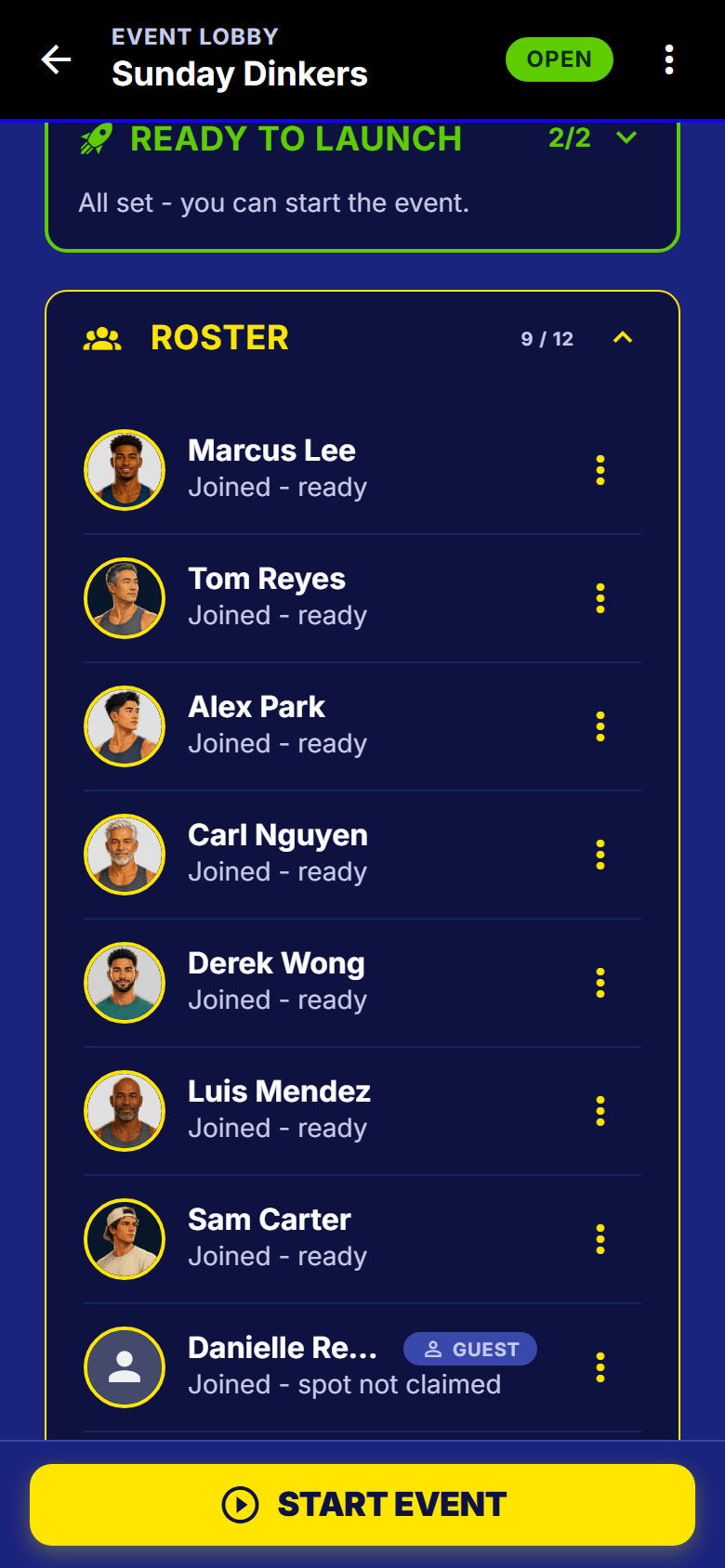
A guest spot sitting in the roster alongside players who joined themselves. - 4
Run the night as usual
The scheduler does not treat a guest differently: they are drawn into rounds, given a court, counted in the sit-out maths, and ranked as scores come in.
- Results are recorded against the spot, so nothing is reconciled later.
- Somebody else enters the score, so the guest has nothing to confirm.
- They show up in the final standings and in the finals bracket.
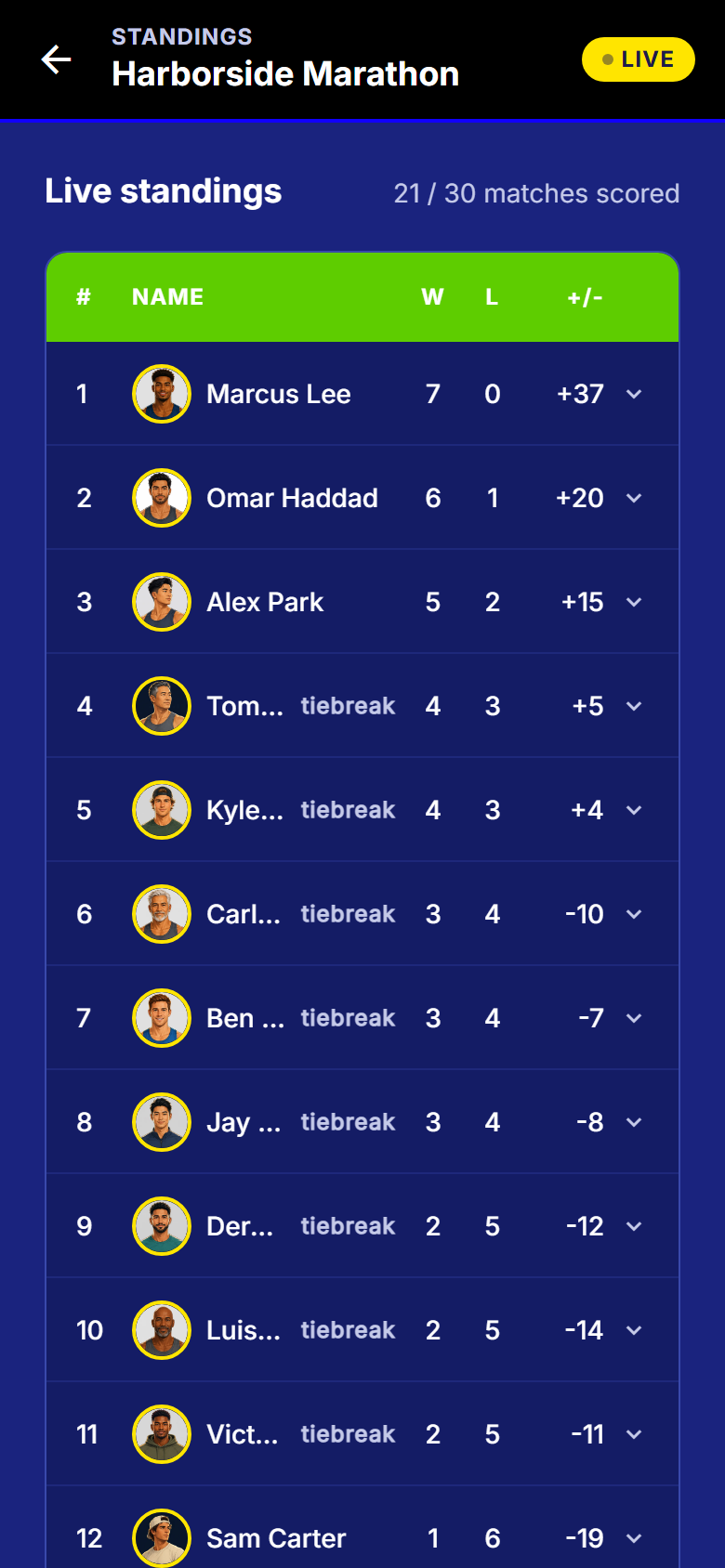
Live standings, updating as each score is confirmed. - 5
Send the claim link after
From the spot menu, share the claim link. Signing up attaches every result recorded under that name to their new account.
- It works after the night has finished, which is usually when they want it.
- No link? They can ask from inside the app and you confirm it was them.
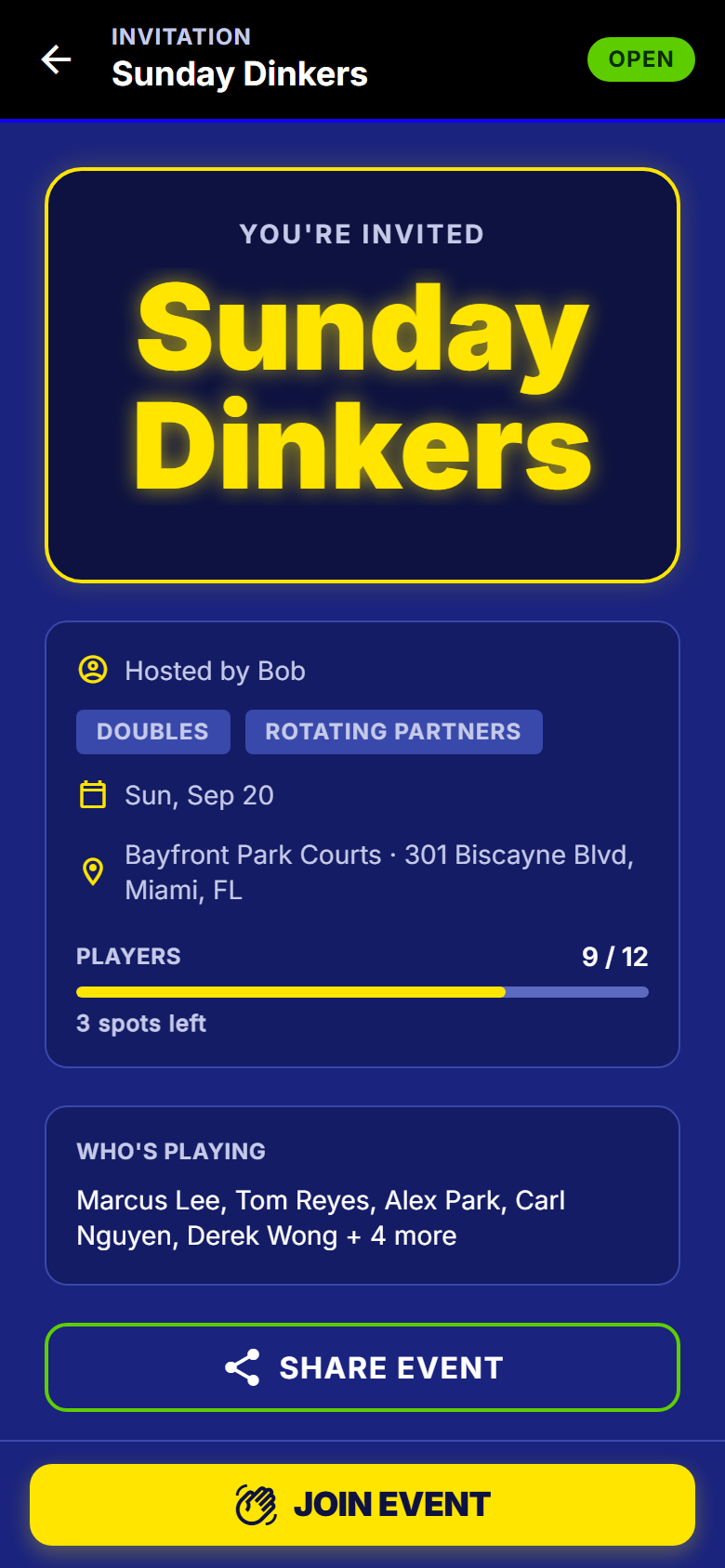
The page a shared SmashDrop link opens. A claim link opens the same page with a claim action instead of Join.
What to watch out for
Next
Running your first event walks the whole setup, or read how to share the running of your night.
Get SmashDrop
Free for casual hosts. iOS and Android. No card.