Features
Everything a night needs. Nothing it does not.
Everything the app does, grouped by when you need it. Anything not built yet carries the window we are working to.
Before the night
Set it up once, run it every week
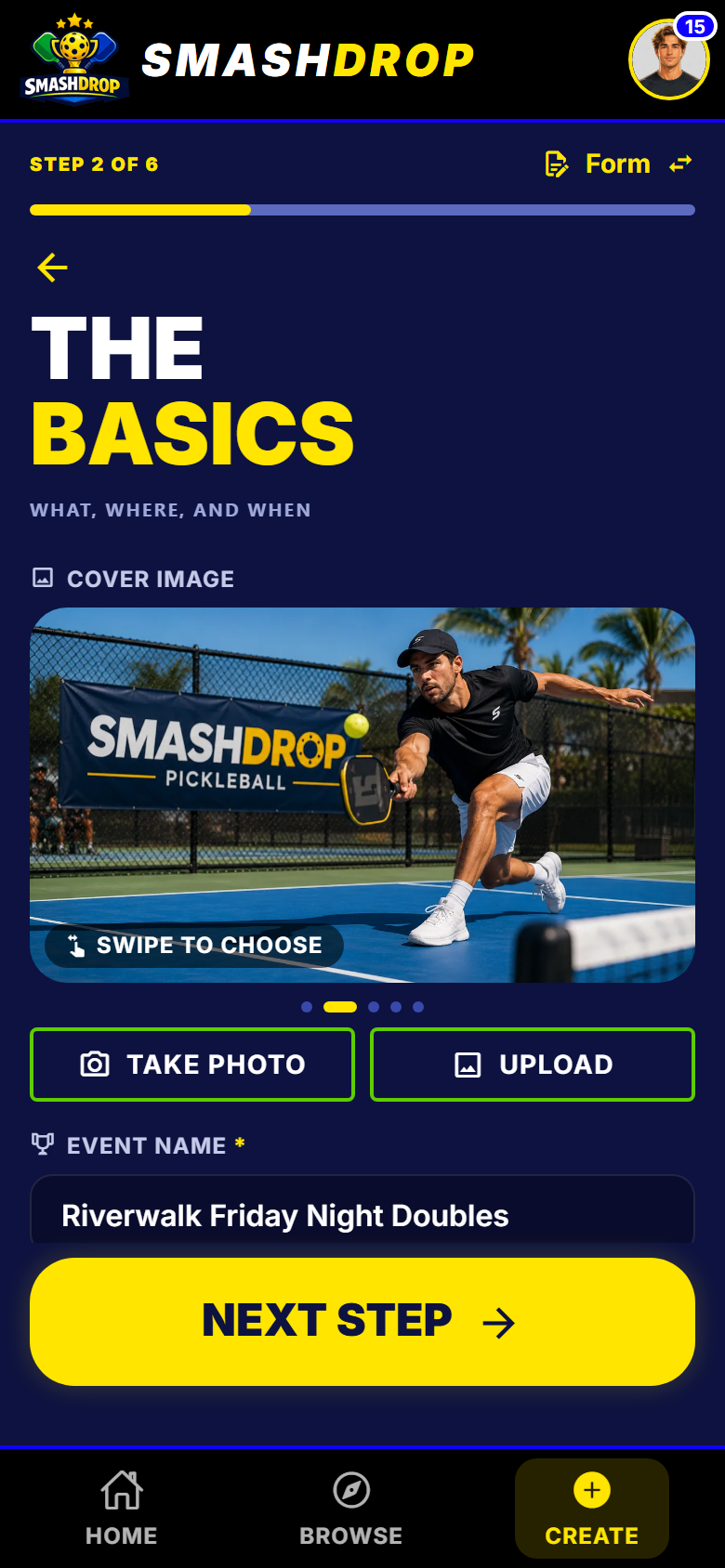
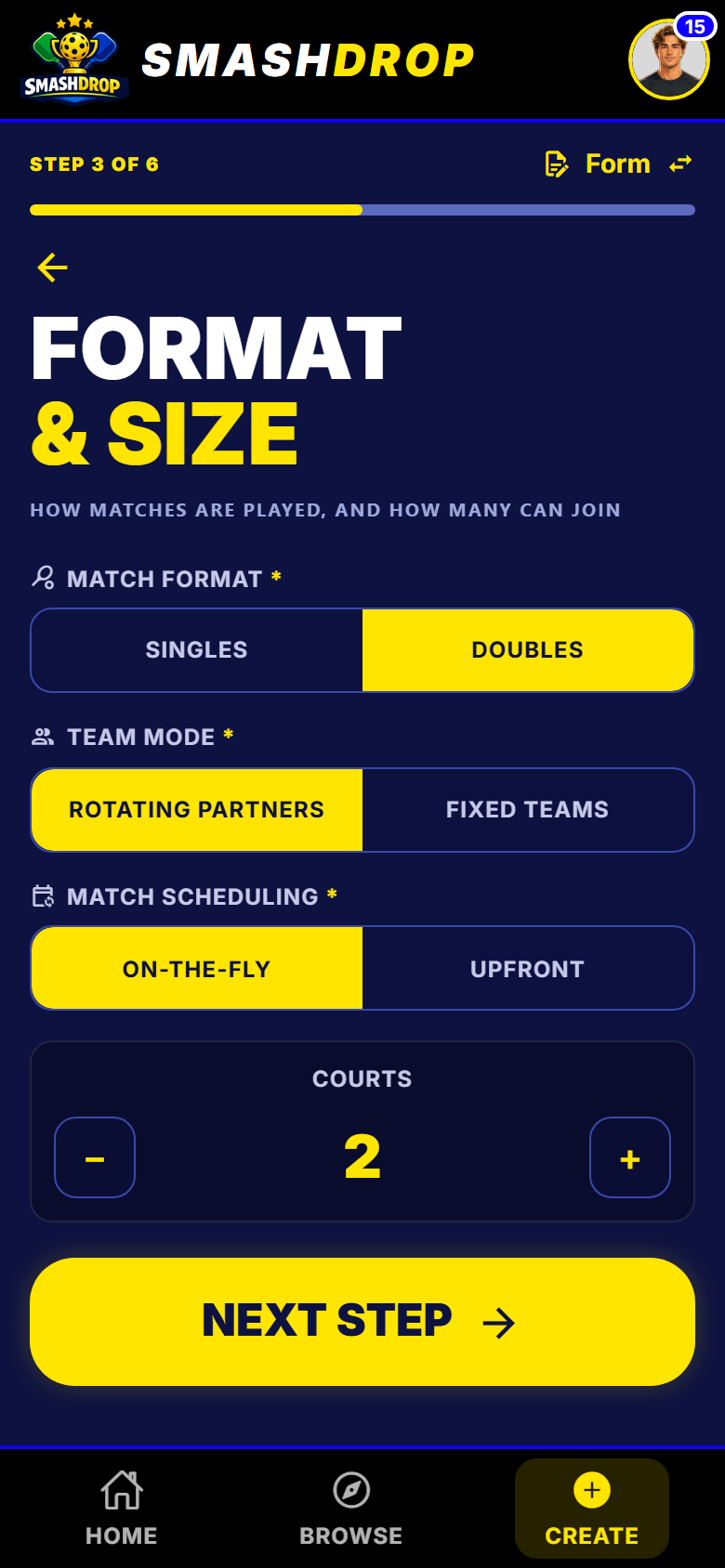
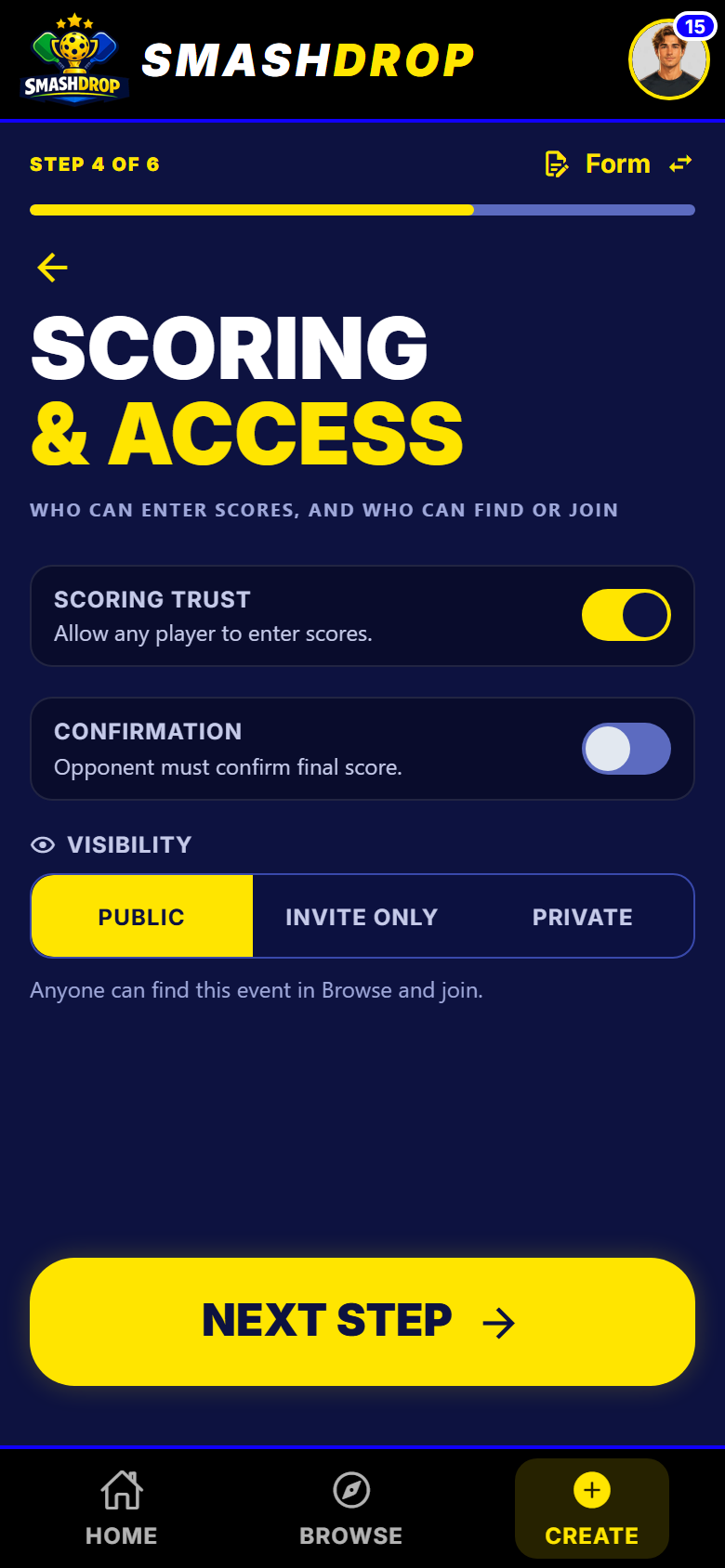
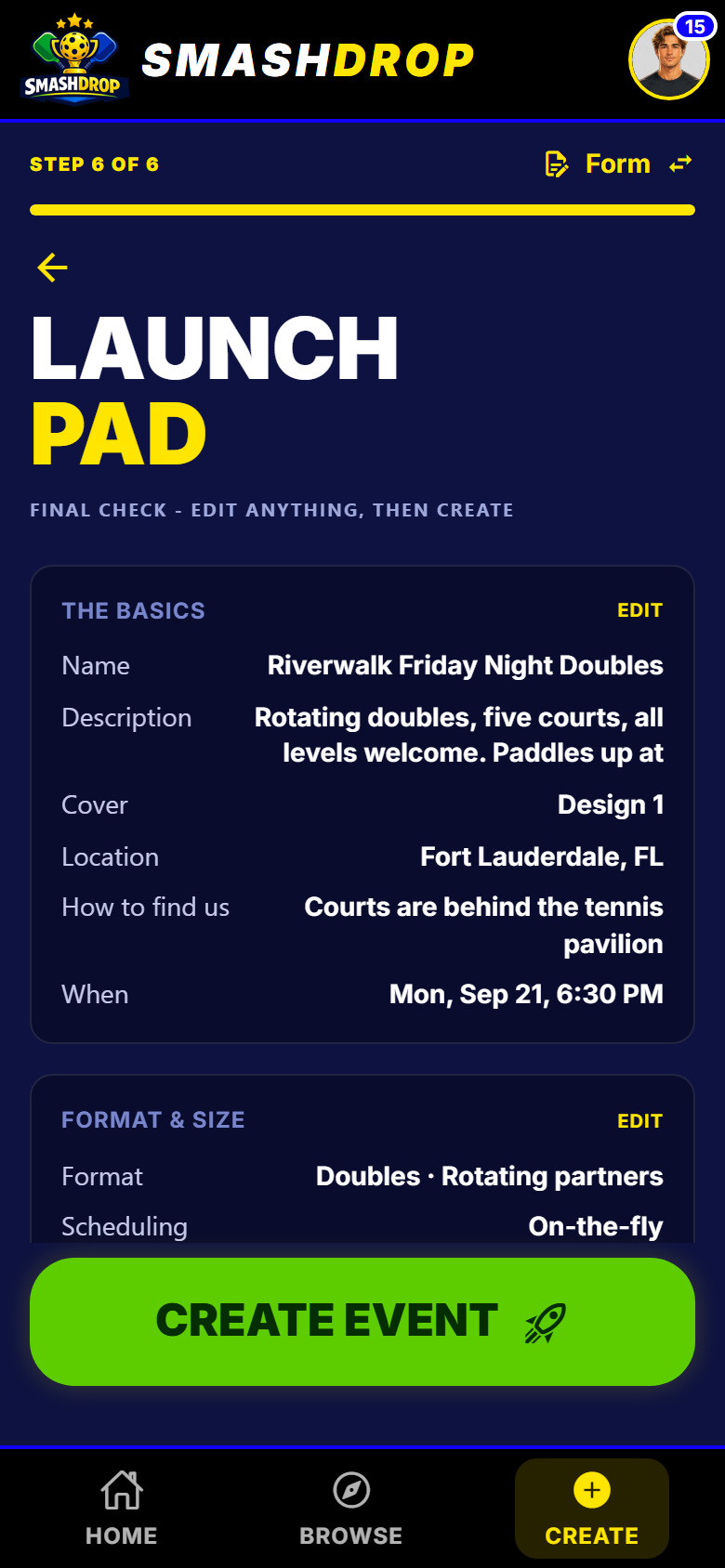
Six short questions, then a plain-English summary. One toggle swaps the wizard for a single screen.
All the setup detail
- Create-event wizard with a review step
- Name, format, courts, access, then a plain-English summary before you commit.
- Wizard or one-screen form
- A toggle switches between the guided wizard and a single screen, for hosts who already know what they want.
- Venue autocomplete
- Type a venue and pick it from suggestions, plus a free-text how-to-find-us note that is never geocoded.
- Cover image
- Upload a photo or pick one of five bundled covers, so a night looks like something in the list.
- Team combined-rating cap
- No team above a combined 7.5. Stop a sandbagged pairing before it forms, and give the players a way to ask you for an exception.
- Open-ended or fixed round count
- Run three rounds or ten. Set a total for a fixed-length night, or leave it open and stop when the courts close.
- Courts and max players
- The two numbers that decide the night. Free hosting covers up to 6 courts and 24 players.
- Eligibility filters
- Restrict a night by sex, age bracket and rating bracket, and choose which rating counts: DUPR, self-rating, or either.
- Visibility: public, invite-only, private
- Listed and open, unlisted but joinable by link, or host-consent only.
- Finals bracket configured at creation
- Turn on a seeded knockout finish, choose Final, Semis, Quarters or a custom top-N, and an optional third-place match.
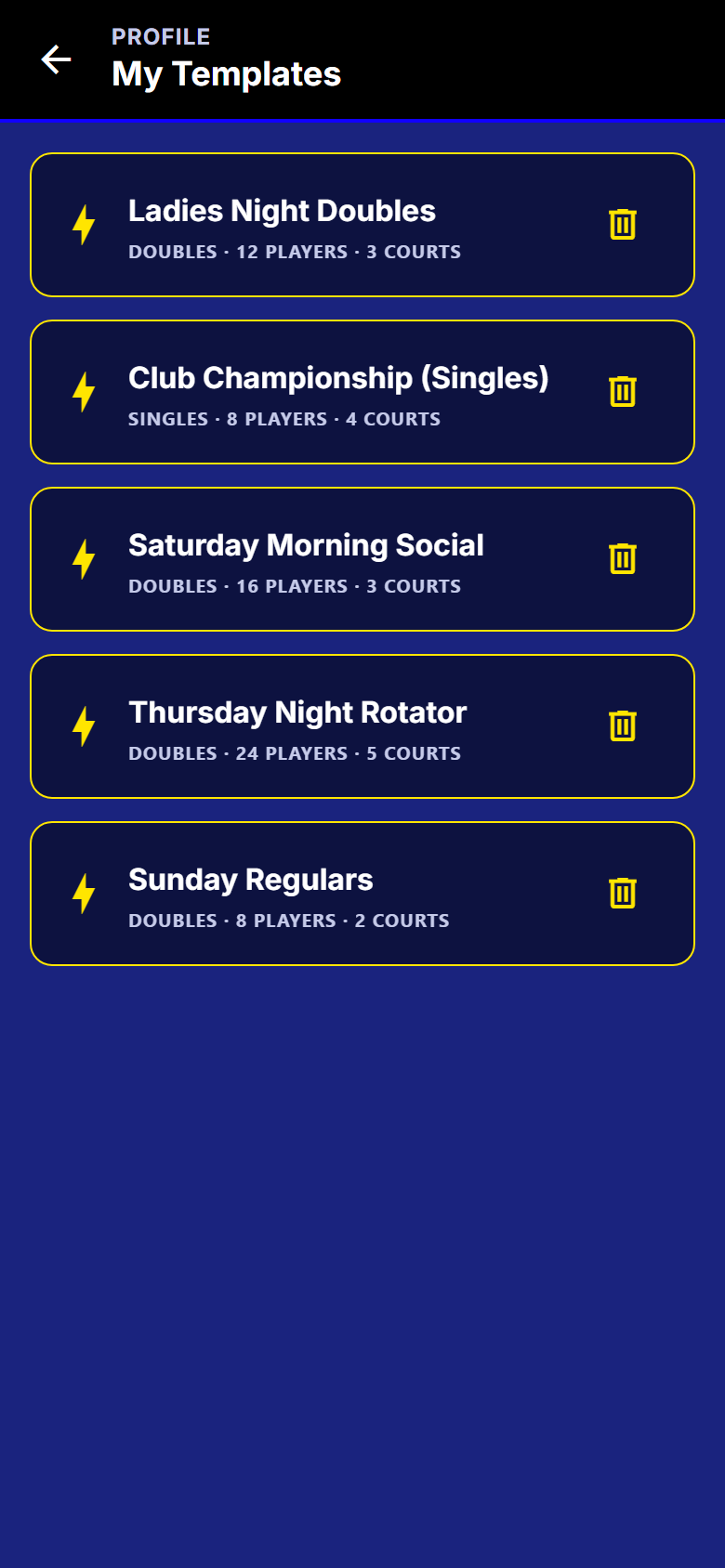
- Event templates
- Save the whole setup and recreate the night next week in one tap. Filters, visibility, the team cap, the cover photo, DUPR and finals all come with it.
- Templates remember the roster
- A template can remember last week's players. Recreating it asks you about each one: add, invite or leave out.
- Create and open in one motion
- When a template roster has decisions attached, creating also opens the event for joining.
- Edit before start
- Change anything up to the moment you start, with the review step showing what you changed.
- Paste a roster, one name per line
- On the web dashboard, paste your list and every line becomes a spot.
- Build roster on the phone
- Add or invite a whole group in one pass, without leaving the search.
- Build a big night at a keyboard
- Sign in at app.smashdrop.com to search players, paste names and invite by email in one pass. The night itself runs on the phone.
- Upfront mode
- Generate every round at the start so players can see the whole night and play in any order.
Six format combinations, all supported
Singles, on the fly
One opponent at a time. The next round is built when this one finishes.
Singles, all upfront
Every round drawn at the start. Over a full cycle, everybody plays everybody once.
Rotating partners, on the fly
The classic social night. A new partner every round.
Rotating partners, all upfront
The same, drawn before the first serve, so people can see the whole night.
Fixed teams, on the fly
Partners locked, opponents rotated. Stop when the courts close.
Fixed teams, all upfront
A full fixed-team round robin in one go, with team and player standings.
Templates
The same crowd, every Tuesday
- A template carries the lot: filters, visibility, the team cap, the cover photo, DUPR and finals.
- It can remember last week's players, then ask you about each one: add, invite or leave out.
- When a roster comes with it, creating the night also opens it for joining.
Getting in to your own account
- Email and password sign-up
- The default path, with a confirmation email, password reset and set-new-password.
- Magic-link sign-in
- Email OTP is still supported for sign-up and email confirmation.
- Sign in with Google
- One tap, no new password.
- Sign in with Apple
- Required on iOS. Hide My Email relay addresses work normally.
- Sign in by 6-digit code
- Use a sign-in code instead, if you would rather not type a password.
On the web
The host dashboard
Sign in at app.smashdrop.com and plan at a keyboard. The night itself runs on the phone.
Everything on the dashboard
- Create and edit events
- Templates and all, on one wide form with the summary beside it.
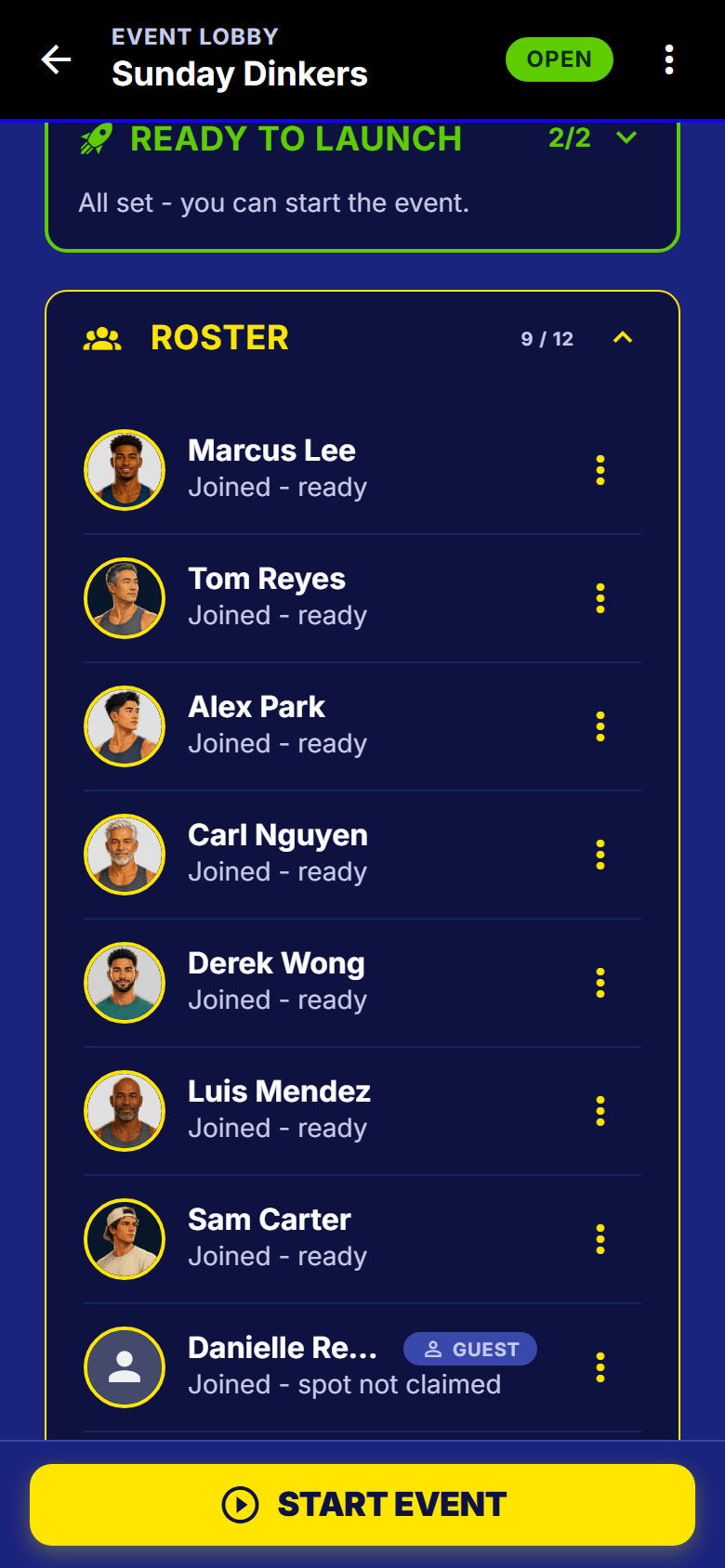
- Build the roster
- Search players, add guests by name, invite by email, or paste a whole list - one pass, one button.
- Launch checklist
- What still stands between you and Start, ticked off as you go.
- Who is in, who is waiting
- Join requests, the waitlist, invites and guest claims, plus everything waiting on you across all your events.
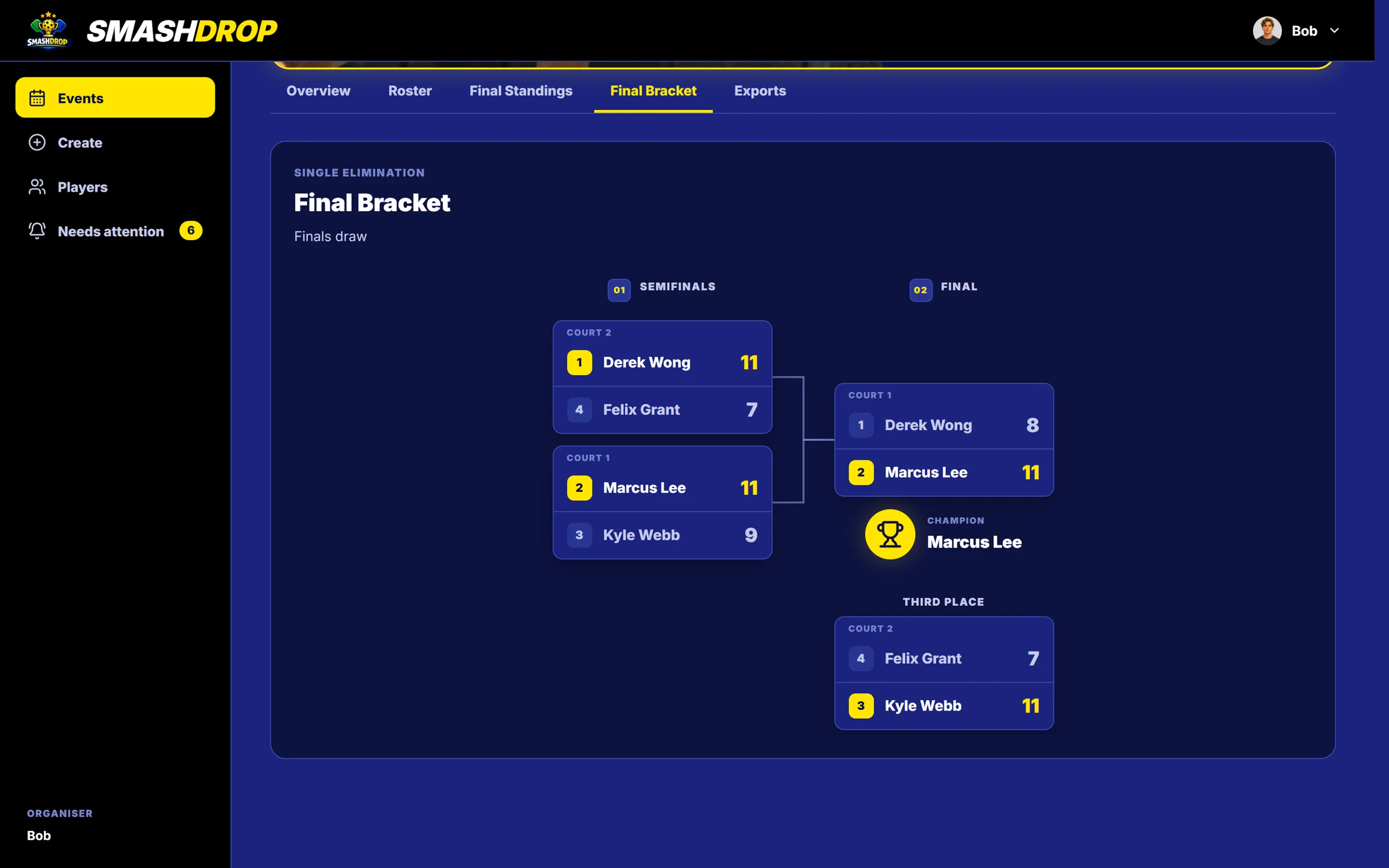
- Live standings and the bracket
- Watch the table move and fix a score from the desk.
- Submit to DUPR
- Send a rated night to DUPR when it is done.
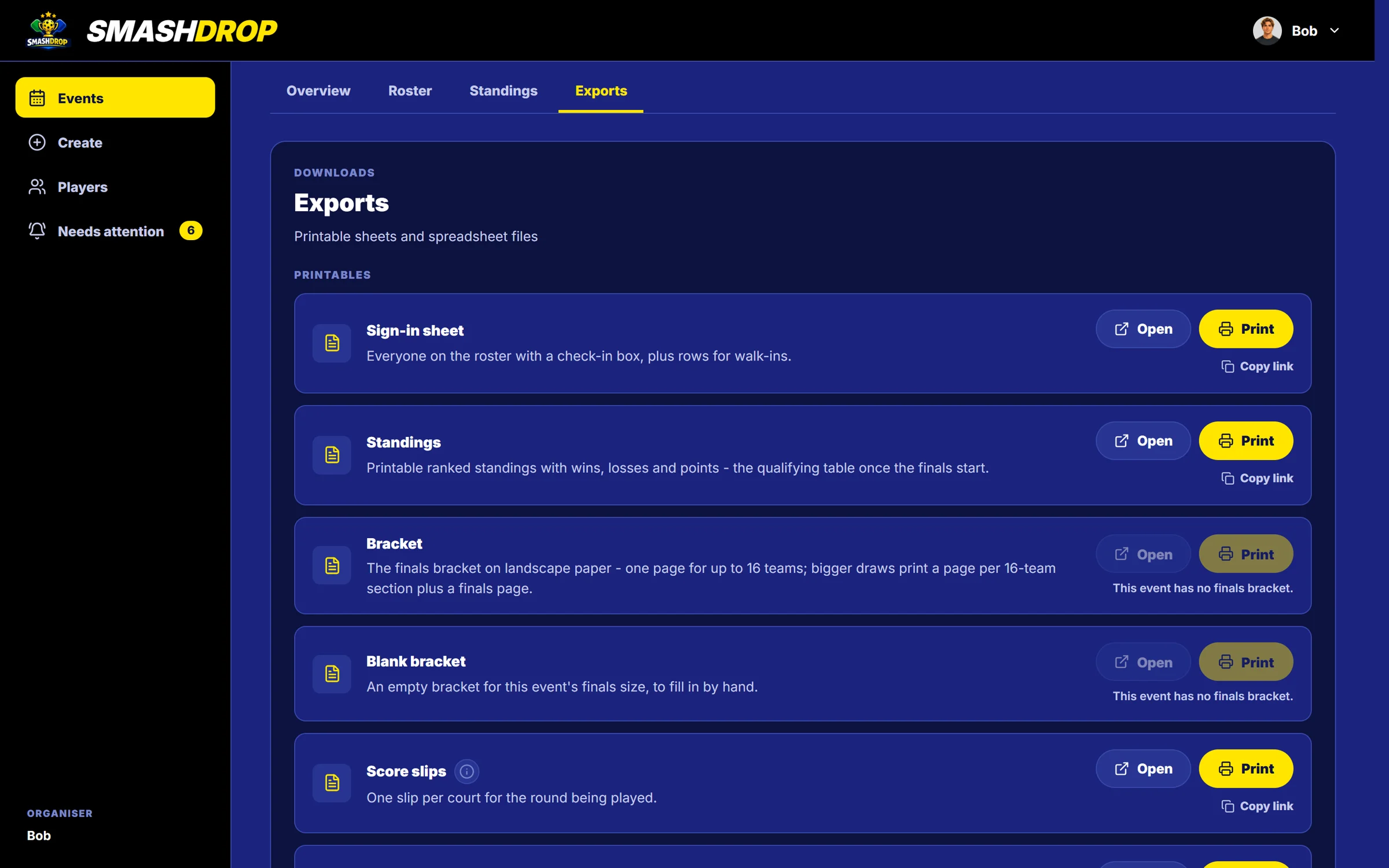
- Printables and CSV
- Sign-in sheet, standings, bracket and court slips to print; roster and results as a spreadsheet.
- In the app todayPro from 1 February 2027
- Players directory
- Everyone who has played your nights, with their record and DUPR rating.
Getting people in
One link, and a way in for people who will not install an app
Most players will want the app. Nobody has to have it.
Guest seats
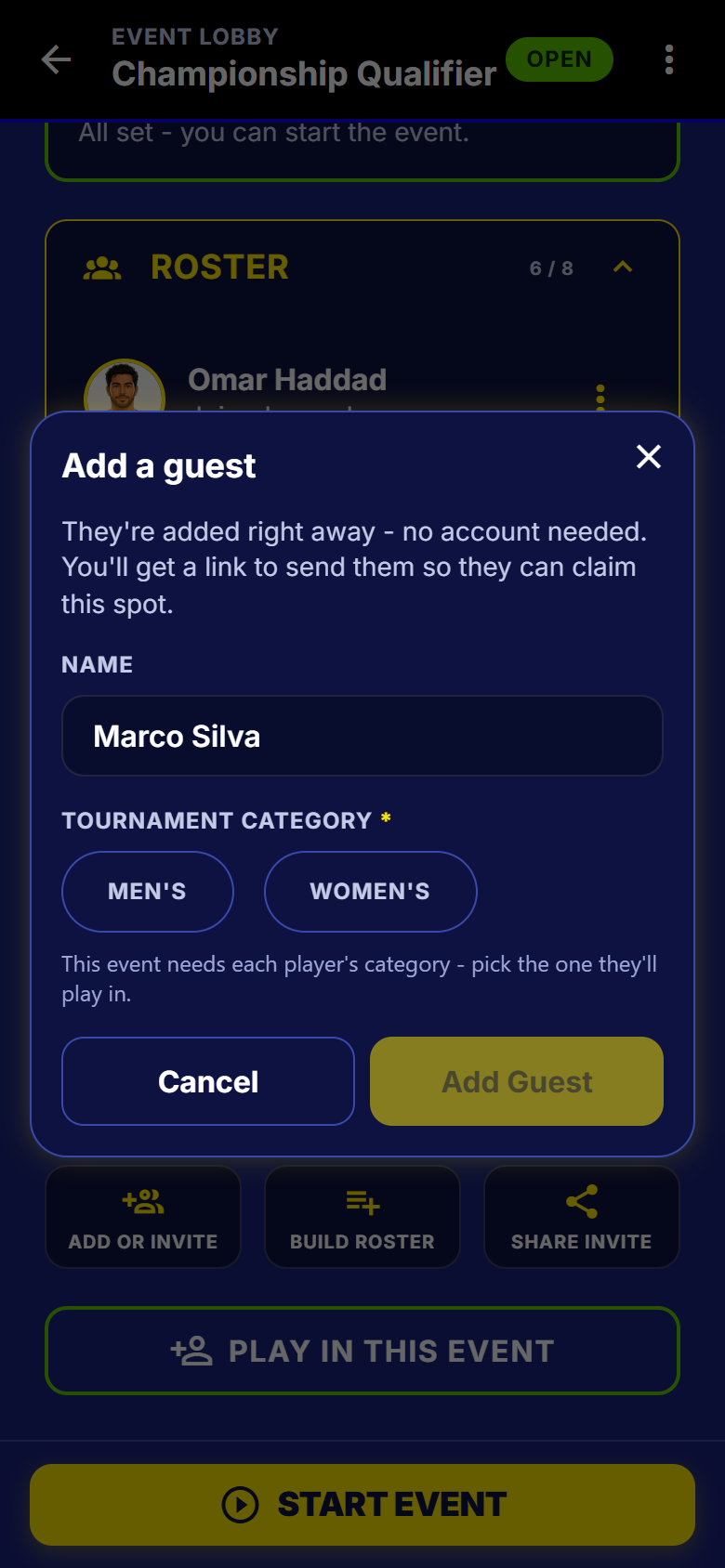
Seat a player by name
- Type a name and the spot exists. No account, nothing to install.
- On the roster, in every round, on a court, in the standings.
- A guest can be on a fixed team and run a whole finals bracket.
- Afterwards they can sign up and take the spot over, results and all.
A DUPR-rated night is the exception. You can seat a guest, but the night will not start while that spot is unclaimed, because DUPR needs every player in a match to have a connected account.
Invites
Three ways in, and a landing page for the fourth
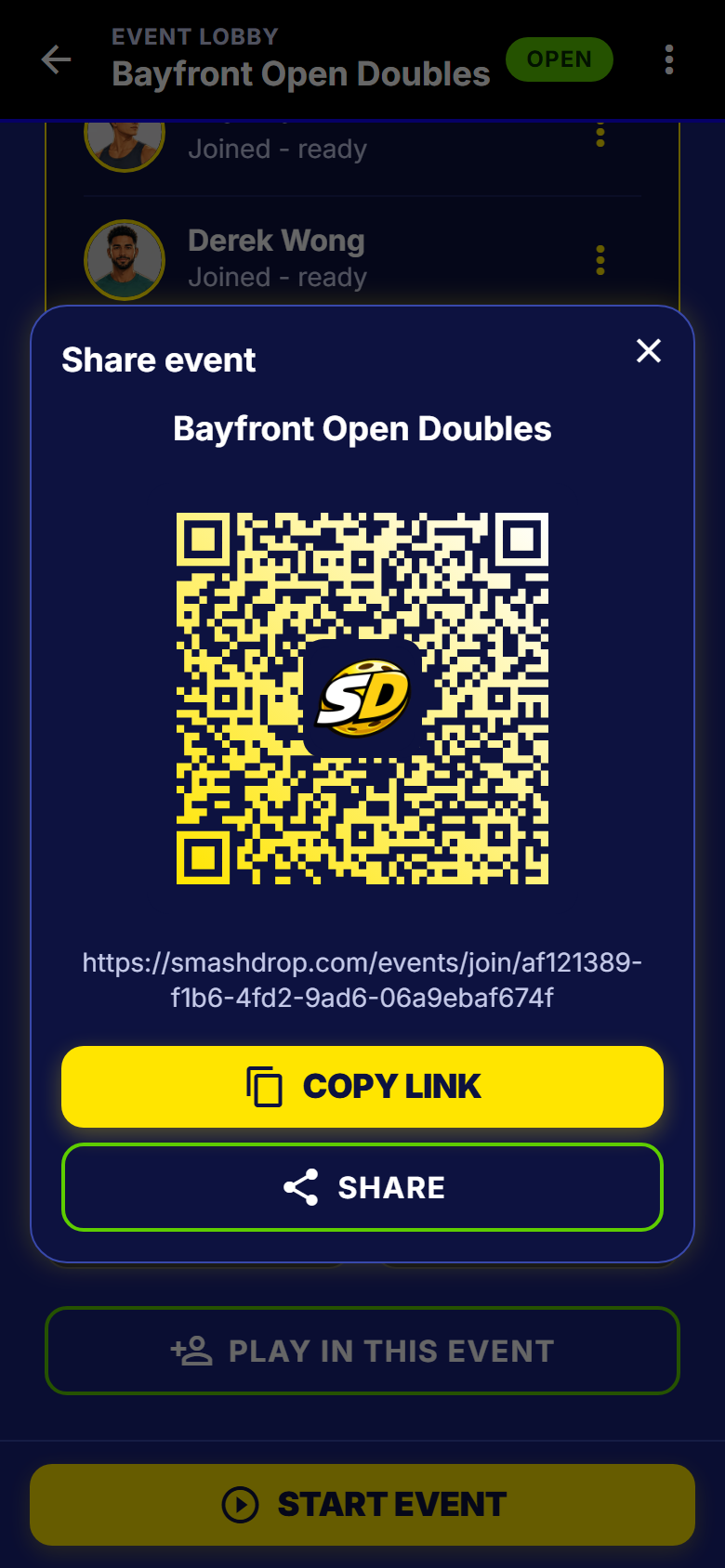
- One link, a QR code for the front desk, and a short code for anyone who cannot scan.
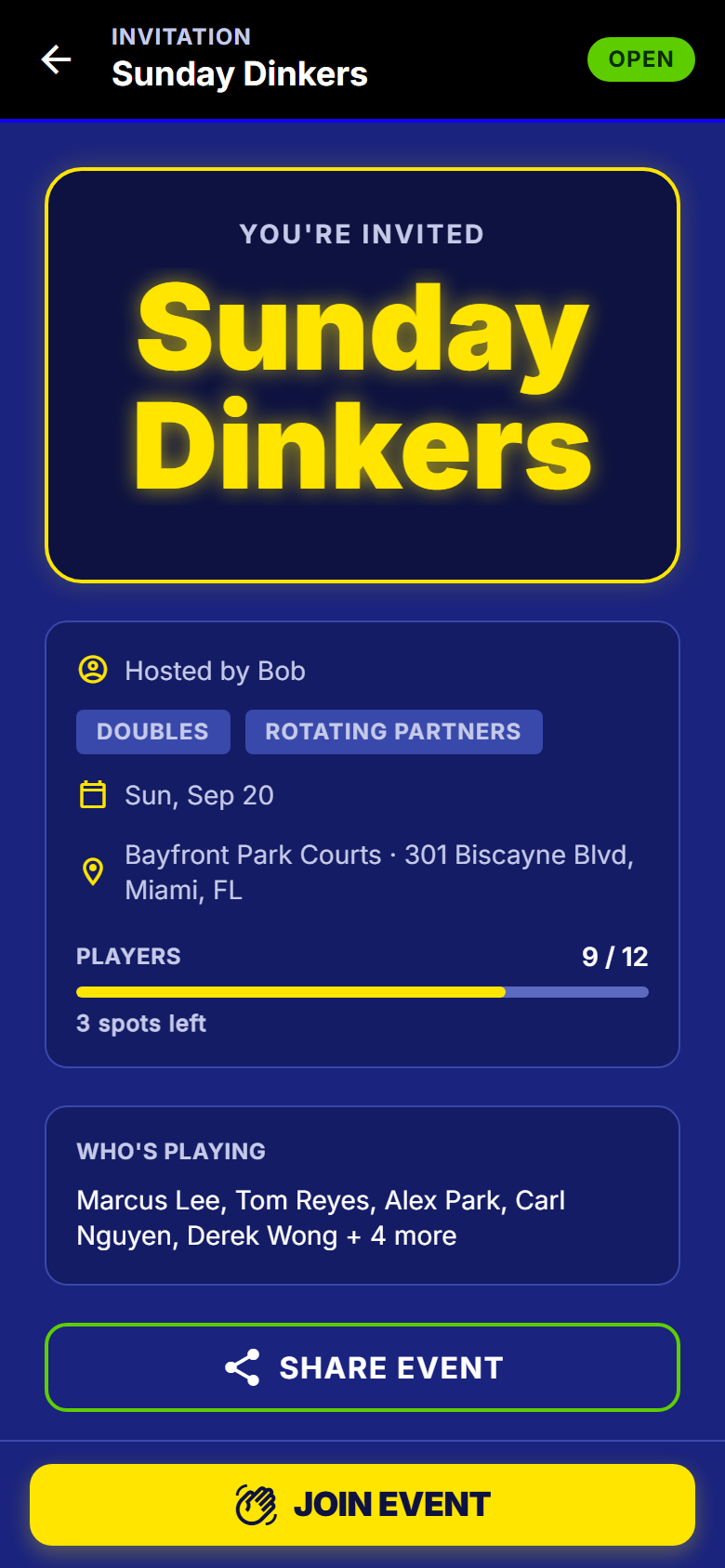
- No app? The page shows the host, the format, the date, the venue and how full it is.
- Tap an invite before you have an account and it still drops you in, for seven days.
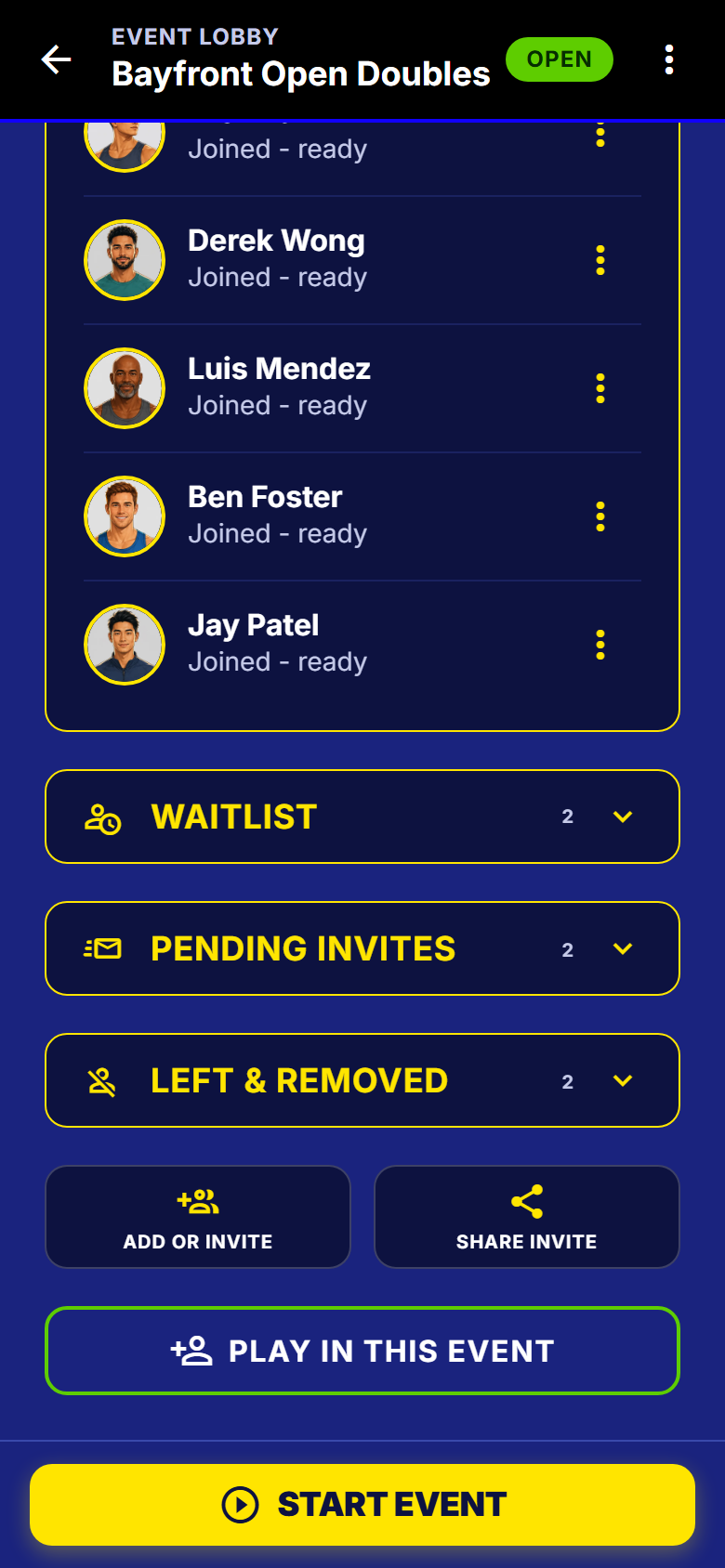
Three more screens from the roster
All the invite and roster detail
- Signed-out invite retention
- Tap an invite link before you have an account and the app still lands you on that event after sign-up, for seven days.
- Request to join instead of rejection
- A player who misses a filter lands in a review queue with the exact reason shown to you, not a dead end.
- Host override on eligibility
- Let a 3.0 into your 3.5 night, or two women into a mixed event. Your event, your call.
- One invite link per event
- Text it, drop it in the group chat, and players are in.
- QR code
- Post it at the front desk or show it on your phone. Players scan and join.
- Join code
- A short code for anyone who cannot scan.
- Universal invite landing page
- A shared link works for someone who does not have the app yet, and hands them to the right place.
- A guest claims the seat later
- That guest can sign up afterwards and inherit every result recorded under their name, with the host confirming it really was them.
- Guests are first-class in teams and brackets
- A guest can be on a fixed team and can be run through a whole bracket by the host.
- A guest seat and a DUPR-rated night
- An honest limit: a rated night will not start while a guest spot is unclaimed, because DUPR needs every player in a match to have a connected account.
- Host adds a player by email
- A branded invite email with one call to action. Revocable, and listed on the lobby.
- Invite a registered player by name
- Search the player directory and invite. They accept or decline. Nobody is force-joined.
- Players can invite players
- On a non-private event any admitted participant can bring someone.
- Invite as my partner
- Ask a specific person to partner you in a fixed-teams night. Accepting one ask retires the rest.
- Invite response card
- One card: accept and team up, join without teaming up, or decline, naming who actually invited you.
- Invite-time vouch
- Inviting someone who does not meet your filters asks 'invite them anyway' once, and the waiver holds when they accept.
- Ask the host for an exception
- A player blocked by the team-rating cap can ask, with a reason. You see the numbers and say yes or no.
- Host plays in their own event
- Play in this event, and Leave as player. Host and player are independent roles.
- Waitlist with automatic promotion
- Past the cap, players queue and see their position. A spot opening promotes the next one automatically.
- Late arrivals
- Someone who turns up after the start joins from the next round.
During the night, for the host
One screen that tells you what needs you
Built for somebody holding a phone between points, not sitting at a desk.
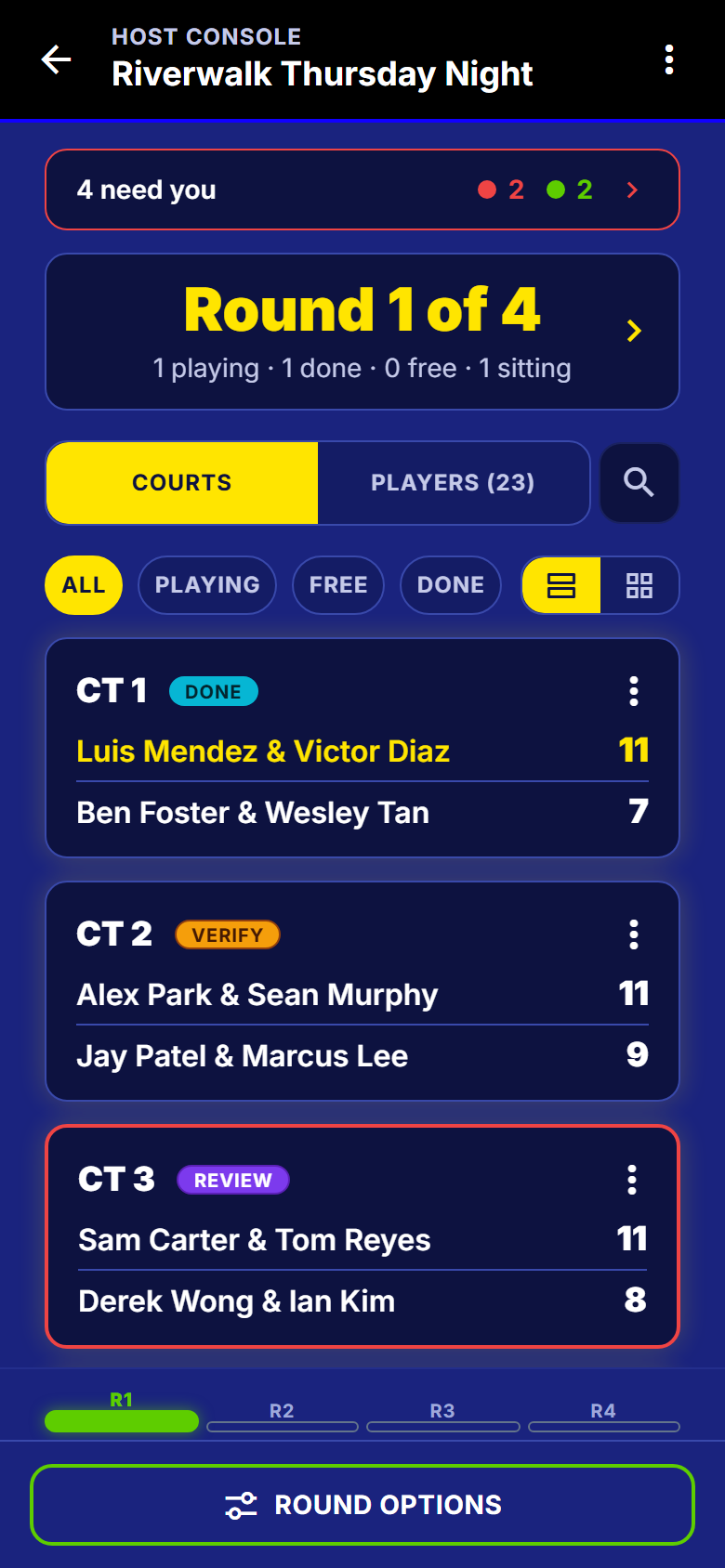
The host screen
Courts, players and the round, in one place
- Court rows read at arm's length. Filter by playing, free, done or disputed.
- The round header: how many playing, done, free and sitting out.
- Search a name for everything about that player, without leaving the screen.
- Round options in one place: generate another, discard it, or force it forward.
Needs you
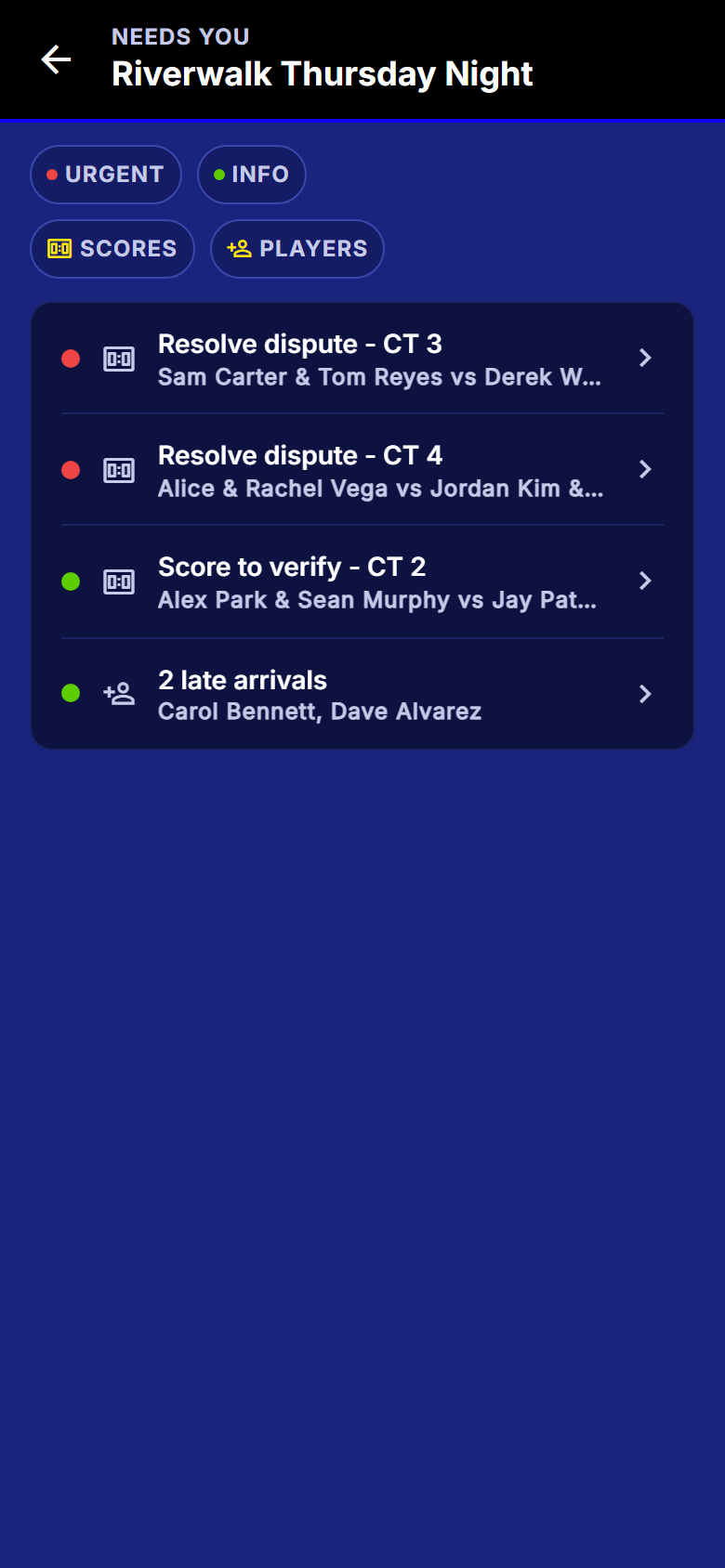
Ranked by how much it matters
- A dispute is red. A score waiting to be confirmed is green, so the list never cries wolf.
- Every row names the court, the match or the player, and goes straight to the fix.
- Late arrivals land here too, so nobody who turned up in round three is lost.
All the host controls
- Mid-event roster control
- Mark a player left, remove, reinstate, or promote from the waitlist, all without breaking recorded results.
- Court-by-court advancement
- Generate the next round for the courts that are free while a slow match is still finishing. No court sits idle.
- Swap a seat
- Replace one player or swap two around, with the consequence spelled out before you do it.
- Build a match by hand
- Put a match on a free court yourself, from the players sitting out.
- Discard a round
- A round generated by mistake can be thrown away while it is still fresh.
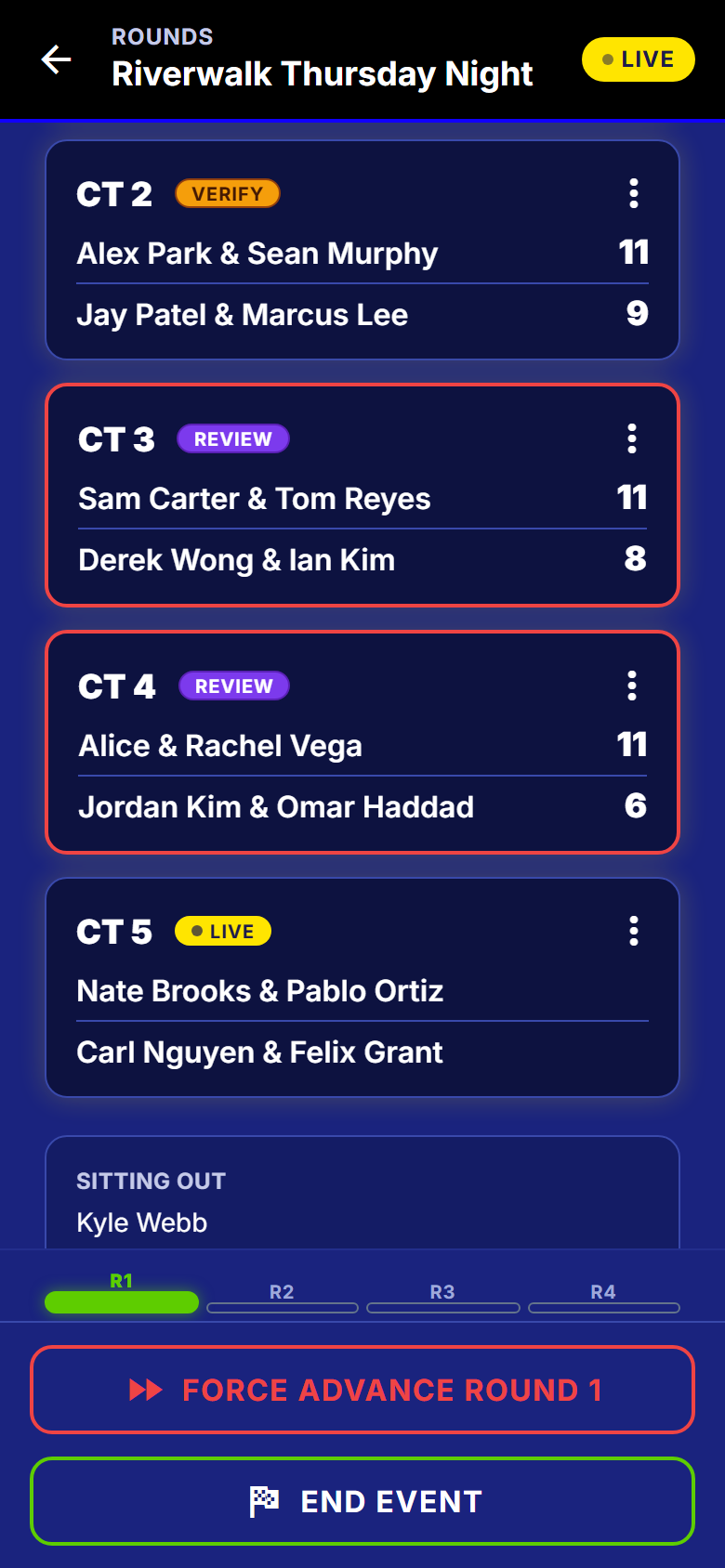
- Force advance or void a match
- A match nobody is going to finish does not hold the night hostage. Voided matches are excluded from standings.
- Disputes go to the host
- A disagreement becomes a host review item, not an argument.
- What-needs-me attention list
- Ranked by urgency, tagged by court, match or player. Every row goes straight to the fix.
- Court-by-court view
- Full-width readable court rows, or a compact grid, filtered by playing, free, done or disputed.
- Find a player fast
- Search opens a player peek with everything you need about them.
- Round options in one place
- Force advance, discard the round, generate another.
- Pre-start readiness panel
- Start is blocked until the night can actually run, and every unmet condition is a link to the fix.
During the night, the engine
How the matchups are actually made
The thing you used to do in your head and get wrong. It nails it, every round.
Scored, not shuffled
- Three schedulers, one per format: singles, rotating partners, fixed teams.
- In singles, a full cycle gives every player every opponent exactly once.
- In doubles, every possible pairing is scored against the night so far. Fewest repeats wins.
- Sitting out twice in a row is the thing it works hardest to avoid.
All the scheduling detail
- Three purpose-built schedulers
- Singles round robin, rotating-partner doubles and fixed-team doubles each get their own algorithm.
- Circle method for singles
- Over a full cycle every player faces every other player exactly once. That is a mathematical guarantee, not an intention.
- Penalty-scored pairing
- Every possible pairing is scored against the night so far. Fewest repeats wins.
- Sit-out fairness as a first-class rule
- Nobody sits twice while somebody else has not sat once, unless the numbers leave no way round it.
- Full-arc sit-out ceiling
- On a fixed-length night the engine computes each player's fair maximum sit-outs up front and near-vetoes going past it.
- Opponent variety, not just no-repeats
- A player whose opponent pool has been narrower than everyone else's gets nudged toward fresh faces.
- Court assignment handled for you
- Nobody decides who goes on court 3.
- Reproducible, explainable rounds
- Every round records the algorithm, the seed, and how many repeats it avoided, so 'why did round 4 look like that' has an answer.
- Hand-made pairings feed the engine
- A manual change becomes real history, so later rounds stay fair and the sit-out tallies stay honest.
During the night, for a player
What a player sees
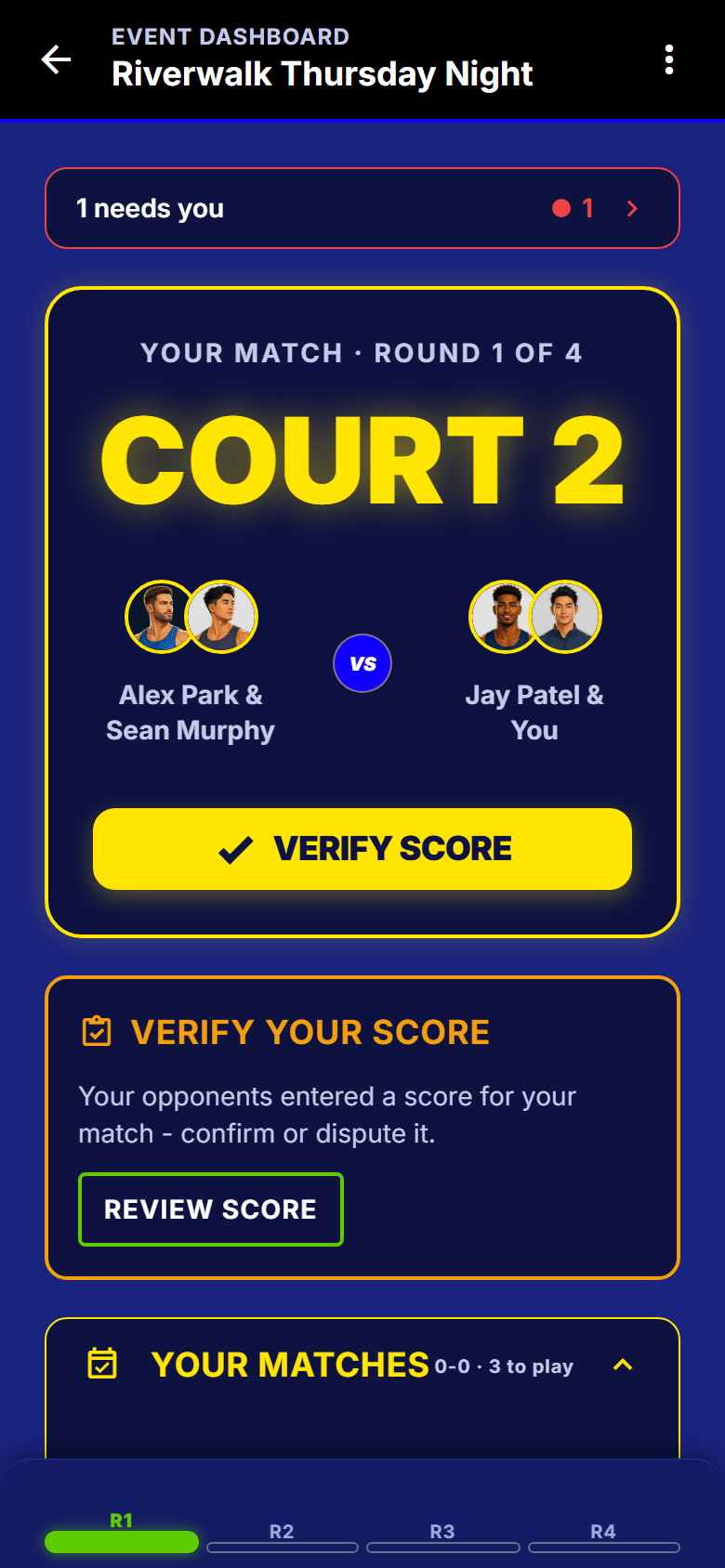
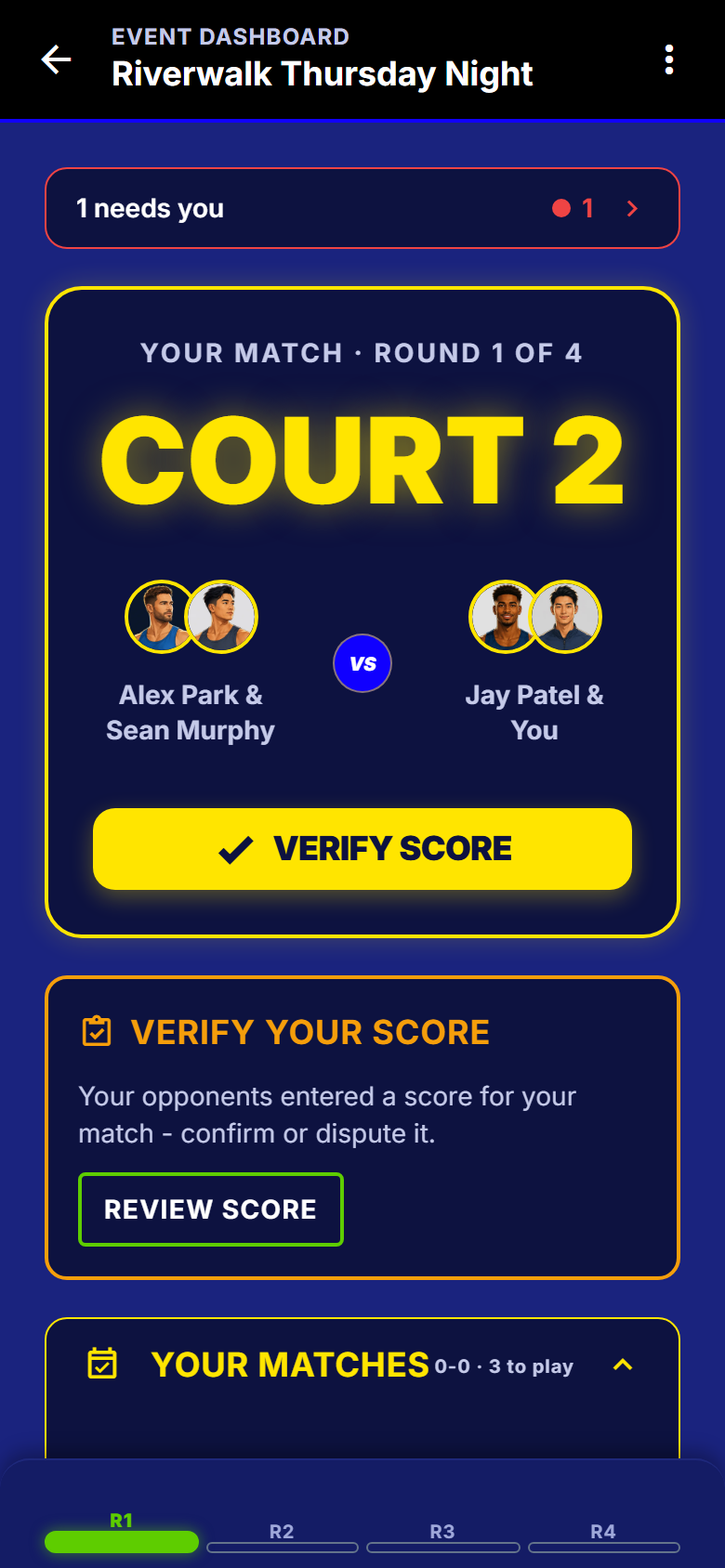
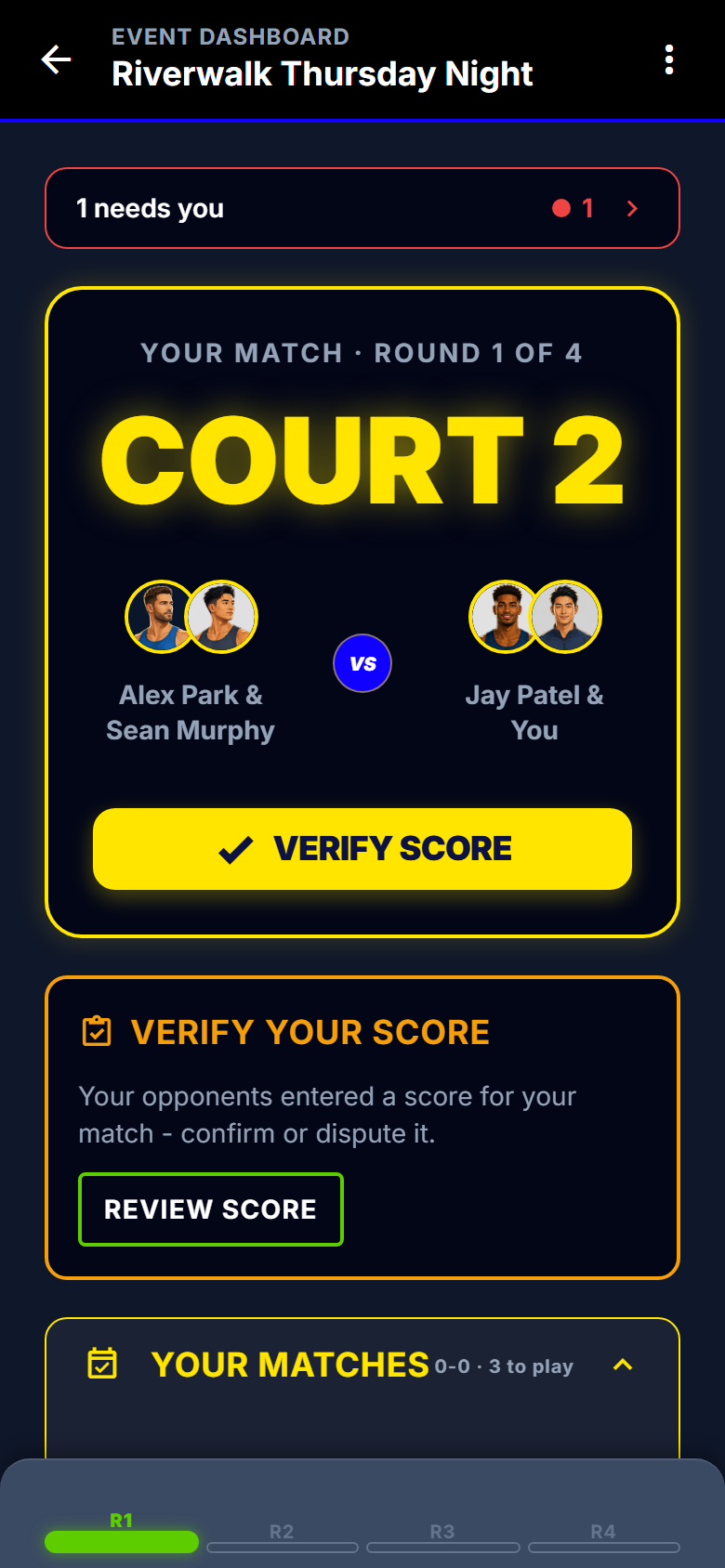
One thing, first and large: where you are playing, who with, and who against.
Your match, then everything else
- The court number reads at two feet in sunlight, partner and opponents under it.
- Sitting out is said by name, never a blank screen.
- Your matches for the night sit below, with results as they land.
- Your place is docked at the bottom, one tap from the full table.
- Open the app mid-night and it puts you back on your match.
All the player-screen detail
- Your match, first and large
- Court number readable at two feet in sunlight, your partner, your opponents, and the button you need.
- Sitting out this round, said clearly
- Not a blank screen.
- Your own schedule
- Your matches across the night, with results as they land.
- Your standing, docked
- You are 3-1, ranked 2 of 12, with one tap to the full table.
- A verification prompt that finds you
- A pending verification surfaces at the top rather than waiting to be discovered.
- Resume straight into a live event
- Open the app mid-night and you are on your match, not a home screen.
- Archive an event from your own list
- Tidy your list without affecting the host or anyone else.
- Tap the venue for directions
- Opens your maps app on the right pin.
- Home resume hero
- Open the app mid-night and it puts you back in the event.
Scoring
Entered on the court, agreed by both sides
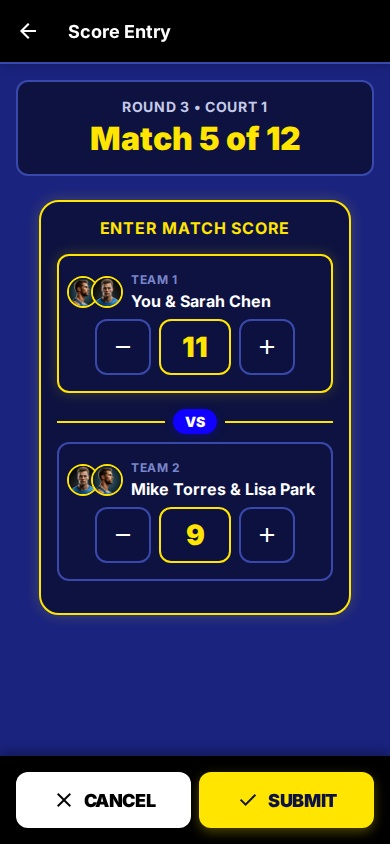
Plus, minus, submit. That easy.
Plus, minus, submit
- Decide up front who can enter a score, and whether the other side has to confirm it.
- A disagreement goes to the host with both versions, not to an argument on court.
- The host can fix any score at any time. The table redoes itself straight away.
- Fat-finger a score and it catches it before it counts.
All the scoring detail
- Score-entry permission
- Let every player enter scores, or keep it host-only.
- Score-verification policy
- Auto-verify for a casual night, or require the opponent to confirm for a formal one.
- Courtside score entry
- Plus and minus, submit, done. Built to be used standing on a court in sunlight.
- Opponent verification
- The other side confirms the score, and the match only counts when it is agreed.
- Disputes go to the host
- A disagreement becomes a host review item, not an argument.
- Auto-verify option
- A casual night does not have to wait for a confirmation tap.
- Host score correction with an audit trail
- Fix a wrong score at any time, even after the event. Standings recompute immediately and the change is recorded.
- Validation that catches nonsense
- Non-negative integers, no ties, and a DUPR pre-flight that blocks a winning score under 6 before it reaches DUPR.
After the night
A finish everyone can see
A round robin that just stops is not a result. Real tiebreak rules, and an optional knockout to finish.
All the standings and finals detail
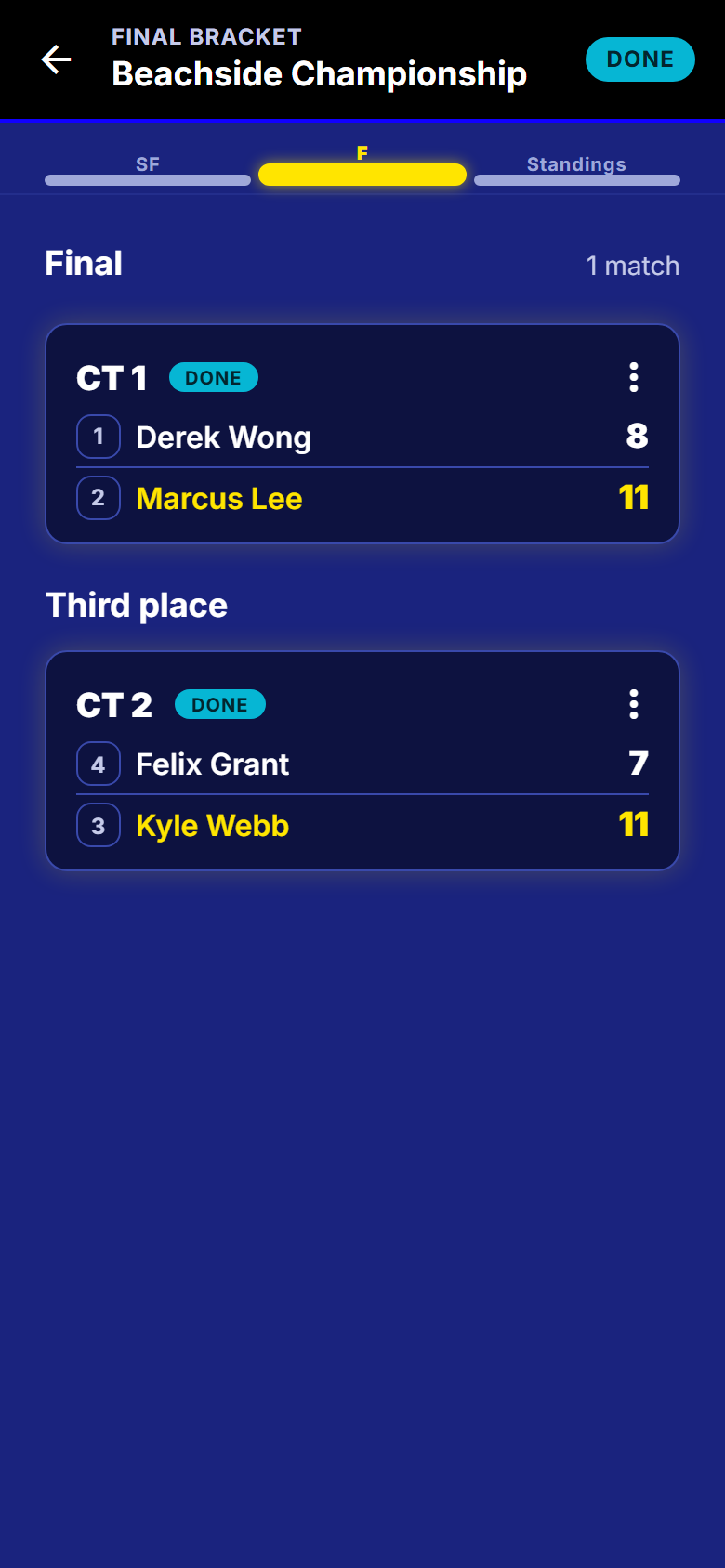
- Finals bracket configured at creation
- Turn on a seeded knockout finish, choose Final, Semis, Quarters or a custom top-N, and an optional third-place match.
- Live standings on every phone
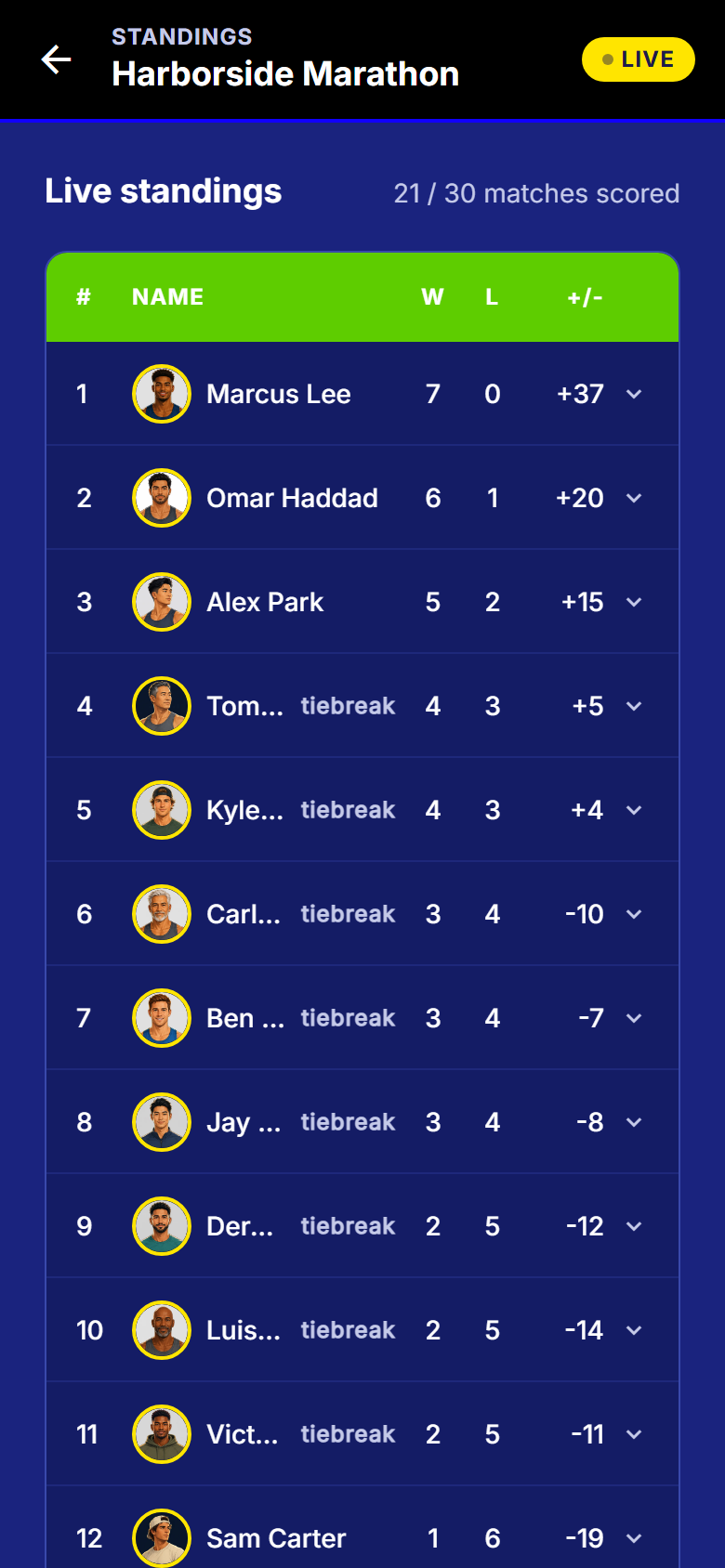
- Rank, wins, losses and point differential, updating the moment a score is confirmed.
- Server-computed, never guessed
- Standings come from the server, so two phones never disagree.
- Team standings for fixed teams
- Both the team table and the individual table.
- Real tiebreak rules
- The official USA Pickleball round-robin rules, not a two-deep guess. A real tie shares the place and the next one is skipped.
- Expandable per-player history
- Tap a player to see every match they played, and jump to a correction if you are the host.
- Seeded finals bracket
- Cap the night with a real decider: qualify by round robin, top N seeded into a knockout, byes handled, optional third-place match.
- Seed review before you lock
- You see the computed seeding, can nudge it, and the cut line follows. The record stays visible as fact.
- Finals cut line on the standings
- Top 4 advance to finals while it is still live, then the frozen truth once you advance.
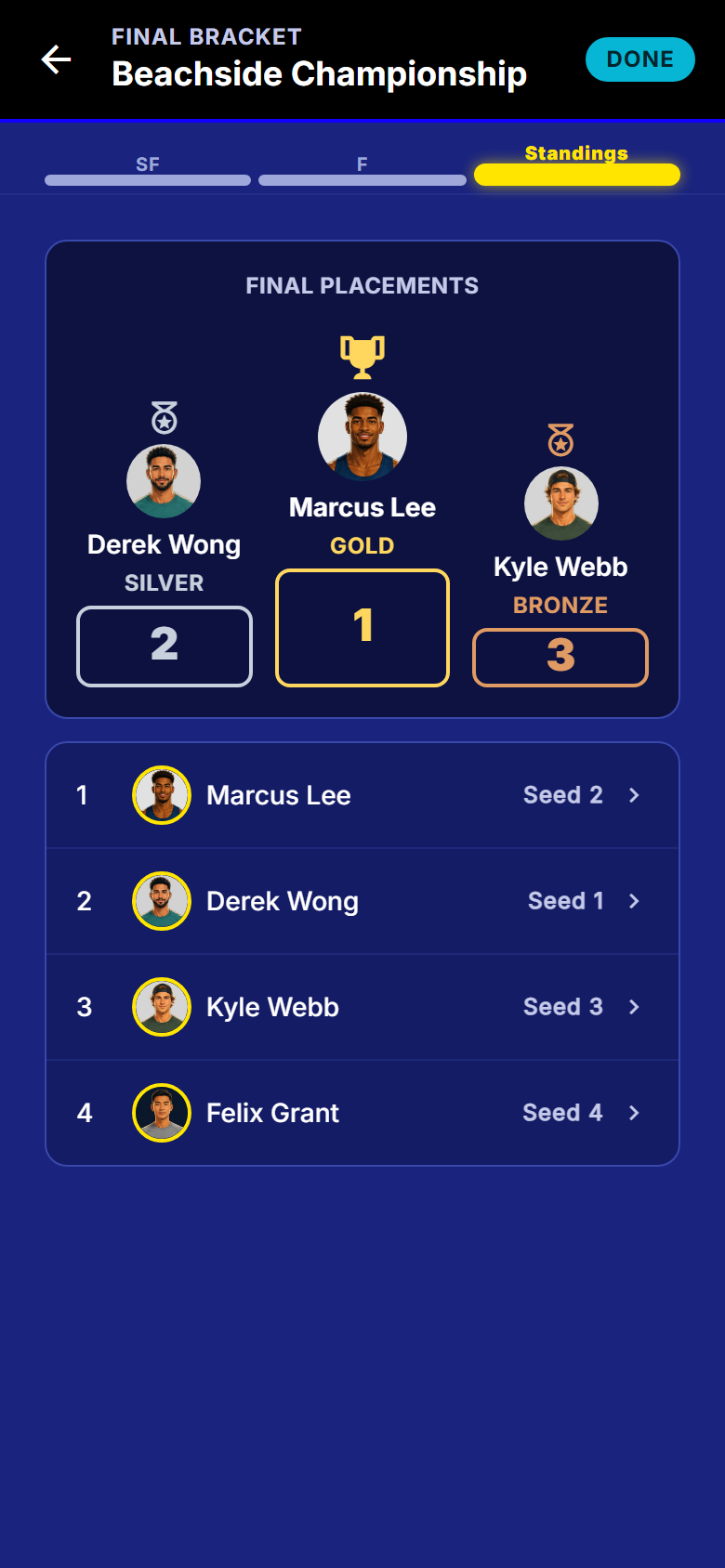
- Champion podium
- Gold, silver and bronze with real avatars, honest empty pedestals when a place is genuinely unoccupied, and ties shown as ties.
- Final standings frozen at the end
- The night closes with a result everyone can see, and the match history is kept.
- Share results
- Send the finish out of the app.
- Printable bracket, court score slips and sign-in sheet
- Standings, the bracket, per-court slips and a round score sheet. Print or save as PDF from the web dashboard.
- In the app todayPro from 1 February 2027
- CSV export of roster, results and standings
- Download them from the web dashboard, in a format your other tools read.
- In the app todayPro from 1 February 2027
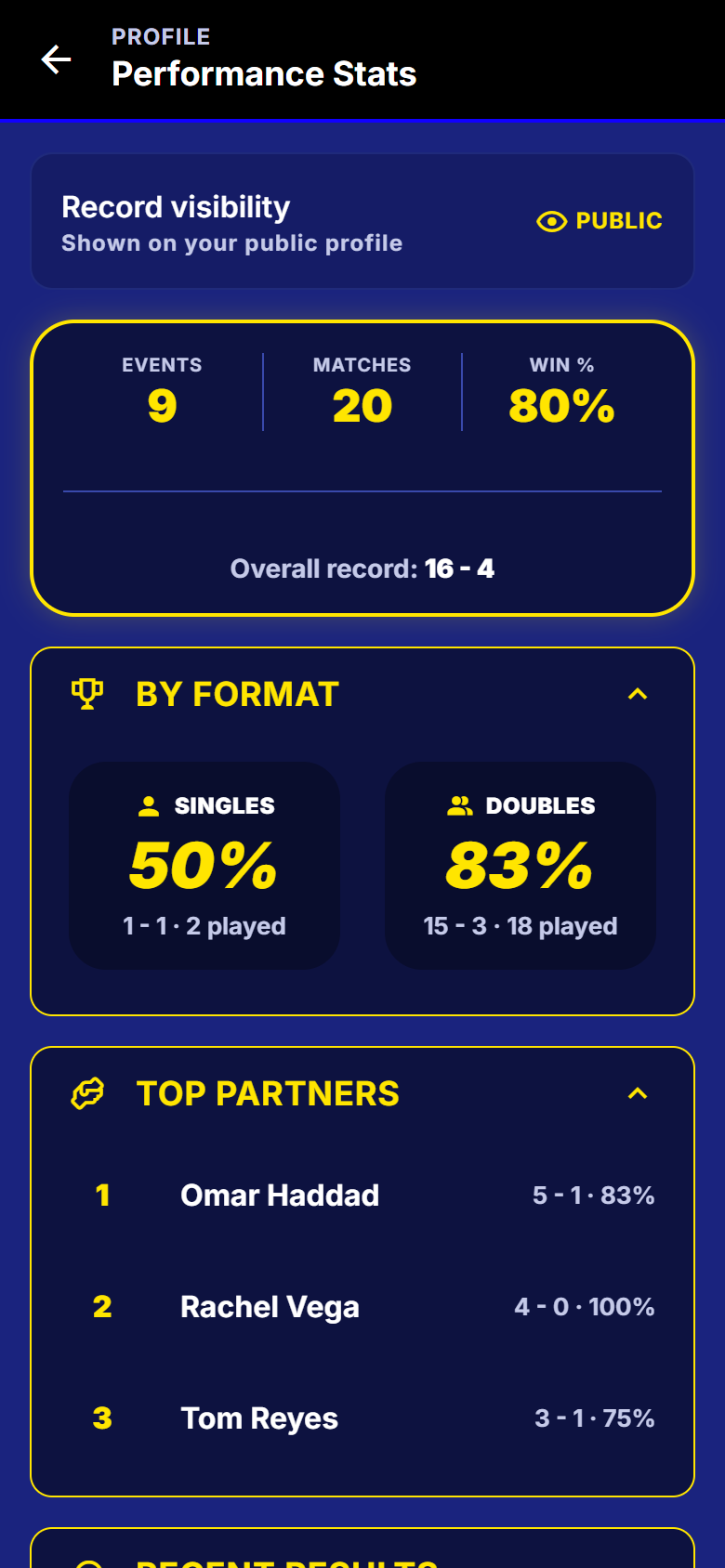
- Cross-event stats
- Events played, matches, wins, losses, win rate, singles against doubles, top partners and recent form.
- Event history
- Every past event, your placement and your record.
- Live updates without a refresh
- Scores and standings push to every connected phone, with a poll backing it up while the event is live.
Running it with other people
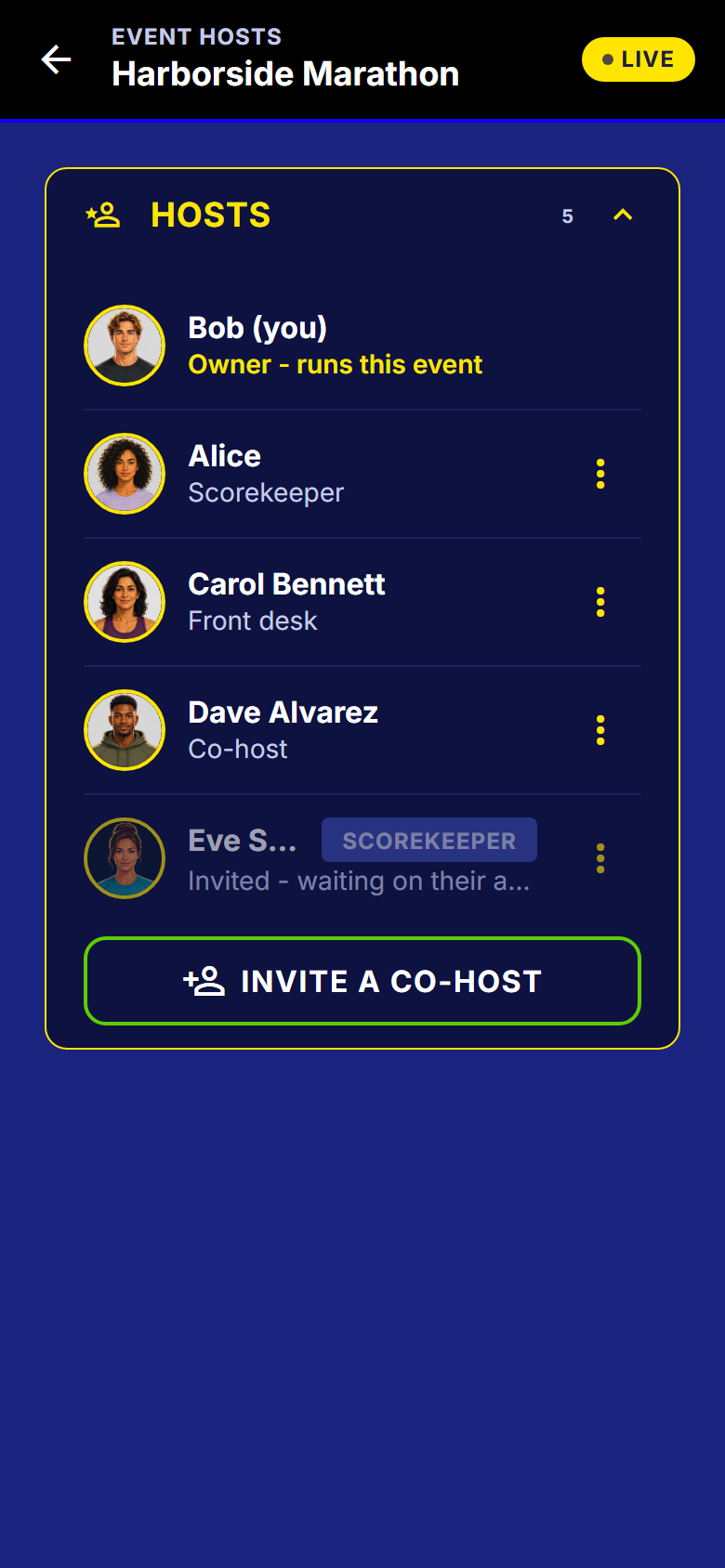
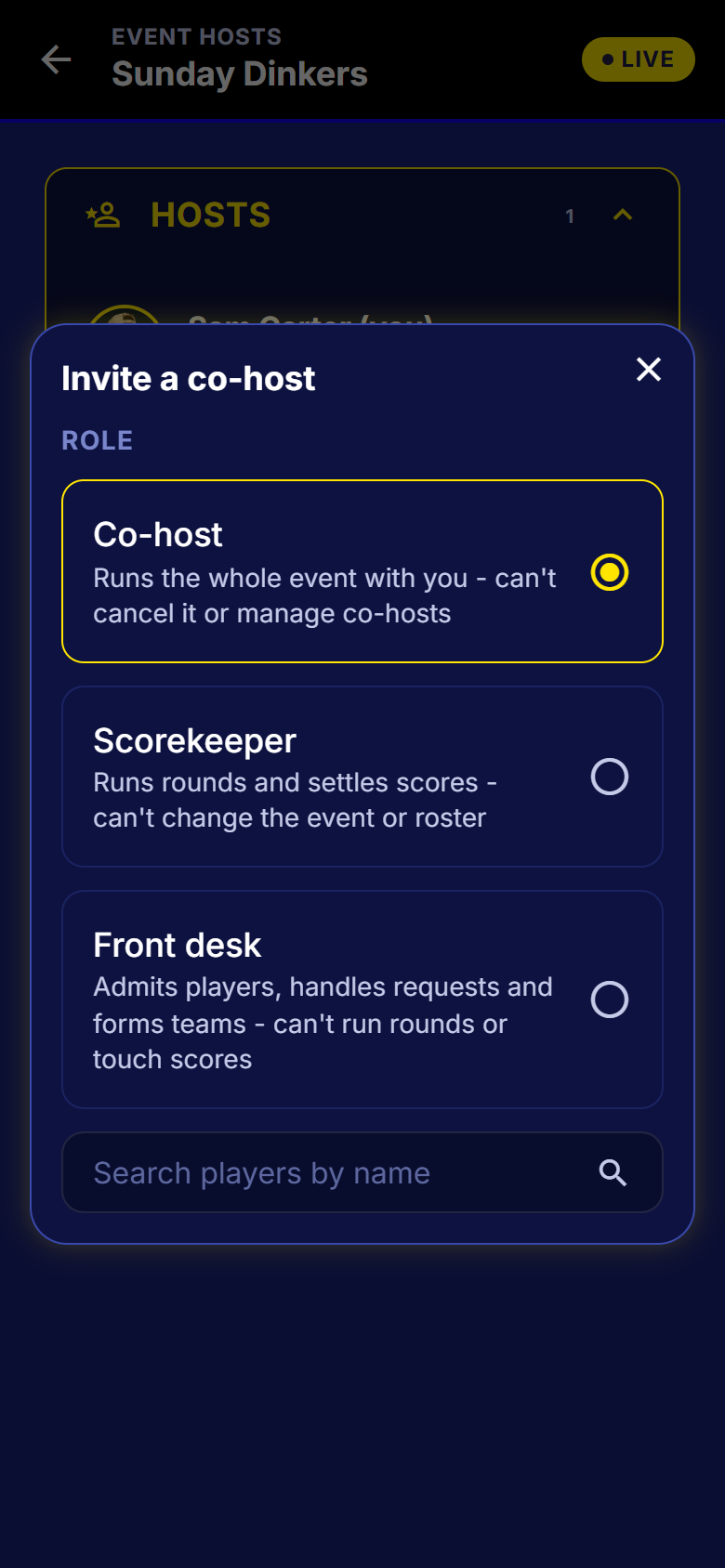
Co-host, scorekeeper, front desk
Each role does one job well, and two powers never leave the owner.
| Role | Can | Cannot |
|---|---|---|
| Co-host | The whole event with you: roster, rounds, scores, teams, overrides. | Cannot cancel the event or manage the other hosts. |
| Scorekeeper | The scoring desk: rounds and scores. | Cannot change the event or touch the roster. |
| Front desk | Admits players, handles requests, grants overrides, forms teams. | Cannot run rounds or touch scores. |
| Owner | Everything above. | Cancelling the event and managing the hosts are owner-only and cannot be delegated to anyone. |
All the role detail
- Invite a co-host
- Somebody else can run rounds and enter scores alongside you, so the night does not depend on one person's phone battery.
- In the app todayPro from 1 February 2027
- Scorekeeper role
- The scoring desk: rounds and scores only.
- In the app todayPro from 1 February 2027
- Front desk role
- Roster admission, overrides, teams and host-only data, and no power over the rest of the event.
- In the app todayPro from 1 February 2027
- Owner-only powers stay owner-only
- Cancelling the event and managing co-hosts can never be delegated.
- Invite, change role, remove, step down
- The whole lifecycle, with the invited person accepting or declining.
- Host and player mode swap
- A host who is also playing flips between the host screen and their own match.
DUPR
Rated nights, free on every plan
Including the free plan. Moving it out is on our published will-not-do list.
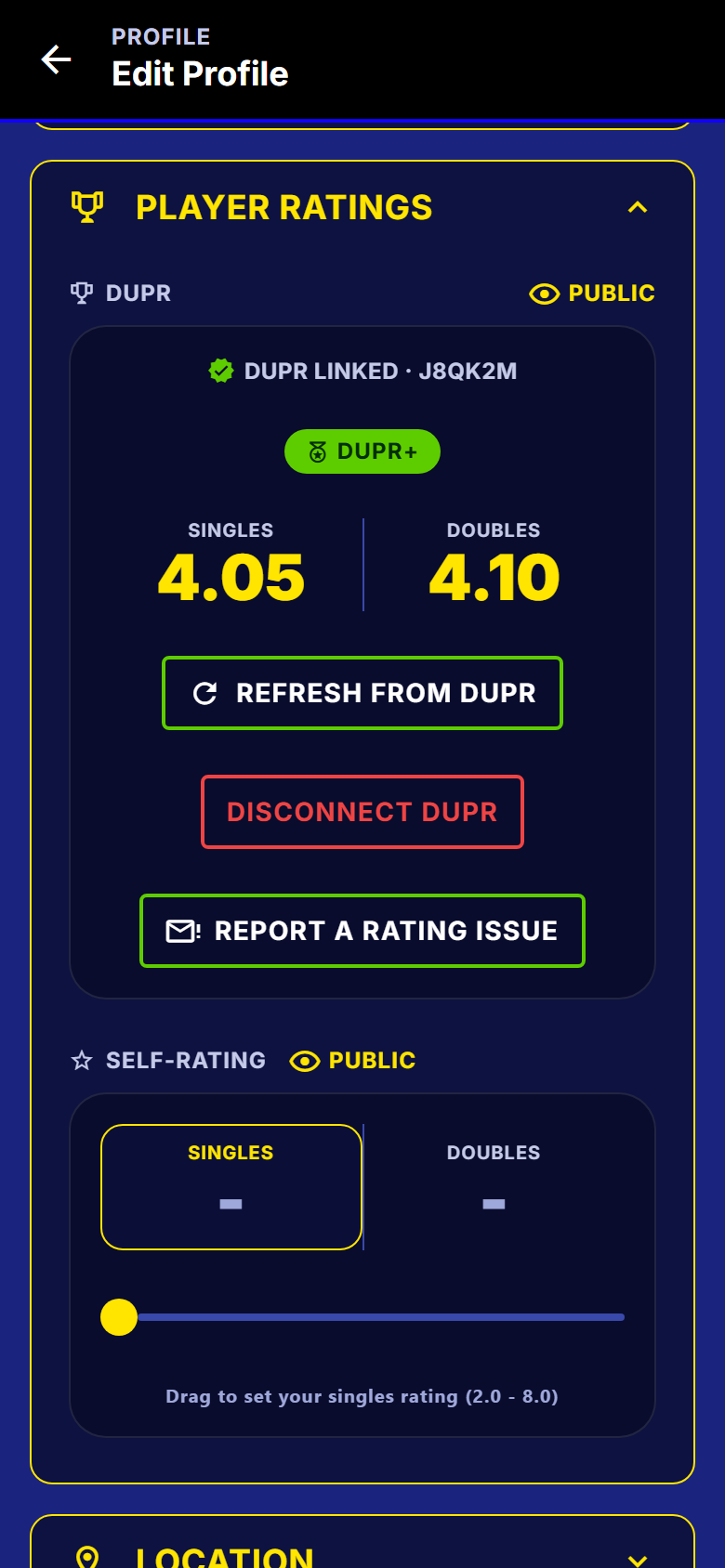
Connect once, by signing in to DUPR
- No field anywhere for typing a DUPR ID. You sign in to DUPR and approve SmashDrop.
- Your rating is read from DUPR itself, with your own privacy control over it.
- If a result looks wrong, report it from the same card.
Three kinds of night, and a check before anything is sent
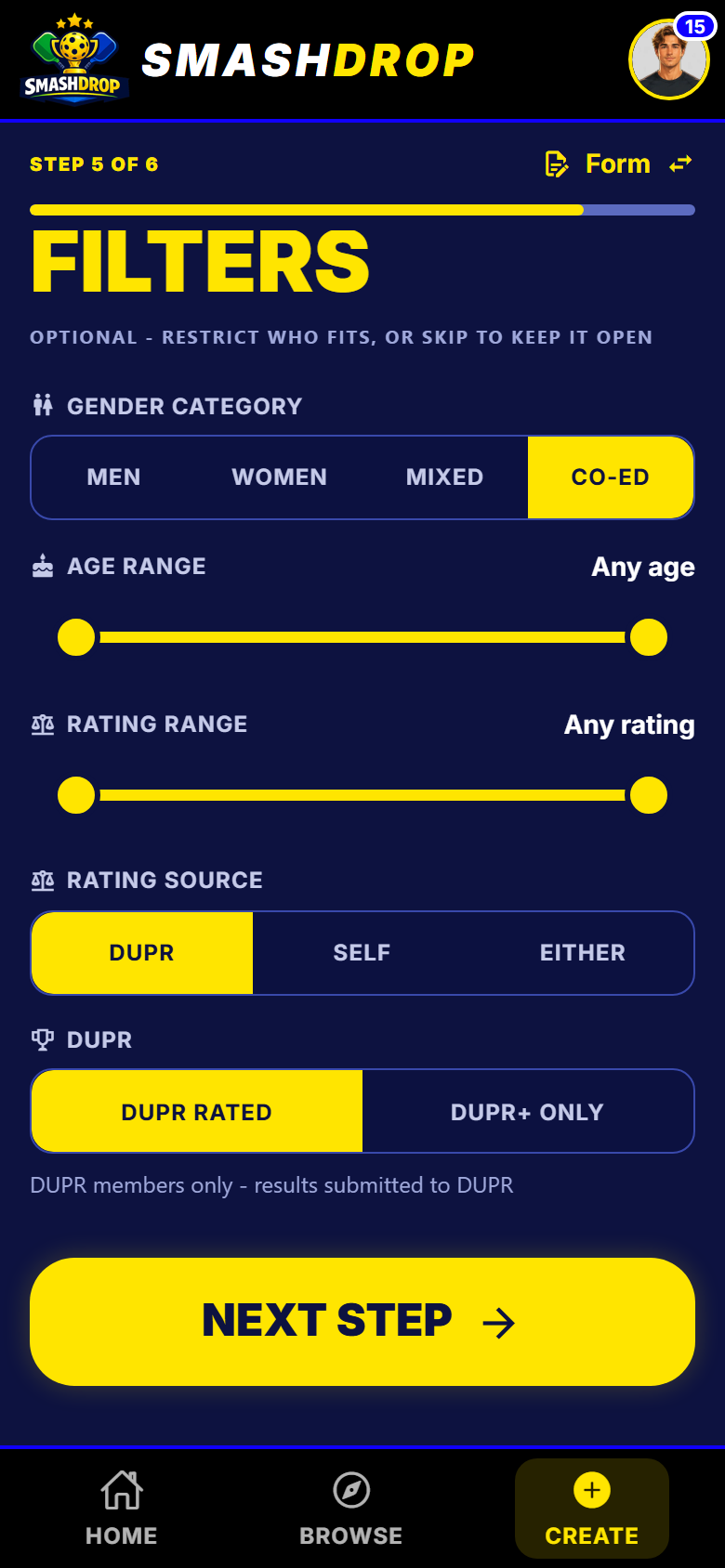
- Casual is never sent to DUPR. DUPR Rated and DUPR+ are.
- On a rated night, every player is checked at the door, not at the end.
- End the night and the matches go to DUPR, with a check naming anything it cannot send.
- A later correction follows through to DUPR, and a bad match is pulled back.
- Browse can filter by DUPR rating, so a rated night is findable.
All the DUPR detail
- DUPR designation at creation
- Mark the night Casual, DUPR Rated, or DUPR+.
- Connect by DUPR's own sign-in
- You never type a DUPR ID anywhere. You sign in to DUPR, approve SmashDrop, and that is the link.
- Three event designations
- Casual, which is never submitted, DUPR Rated, or DUPR+.
- Results submitted from the night
- Finish a rated event and its matches go to DUPR, with a pre-flight that names any match it cannot send and why.
- Corrections follow through
- A corrected score is updated at DUPR, and a match that should not stand is retracted.
- Ratings stay current
- Your rating on your SmashDrop profile is refreshed from DUPR itself, rather than trusted from a message.
- Rated-event admission is checked at the door
- On a rated night every player is checked before they are on the roster, so you find out early rather than at the end.
- In-app rating dispute channel
- A prefilled report from the rating surface if a result looks wrong.
- DUPR is free on every tier
- Including the free tier. It is not an upsell and it will not become one.
Notifications
Told what matters, and nothing more
Seven categories you control, and a record that survives whatever you silence.
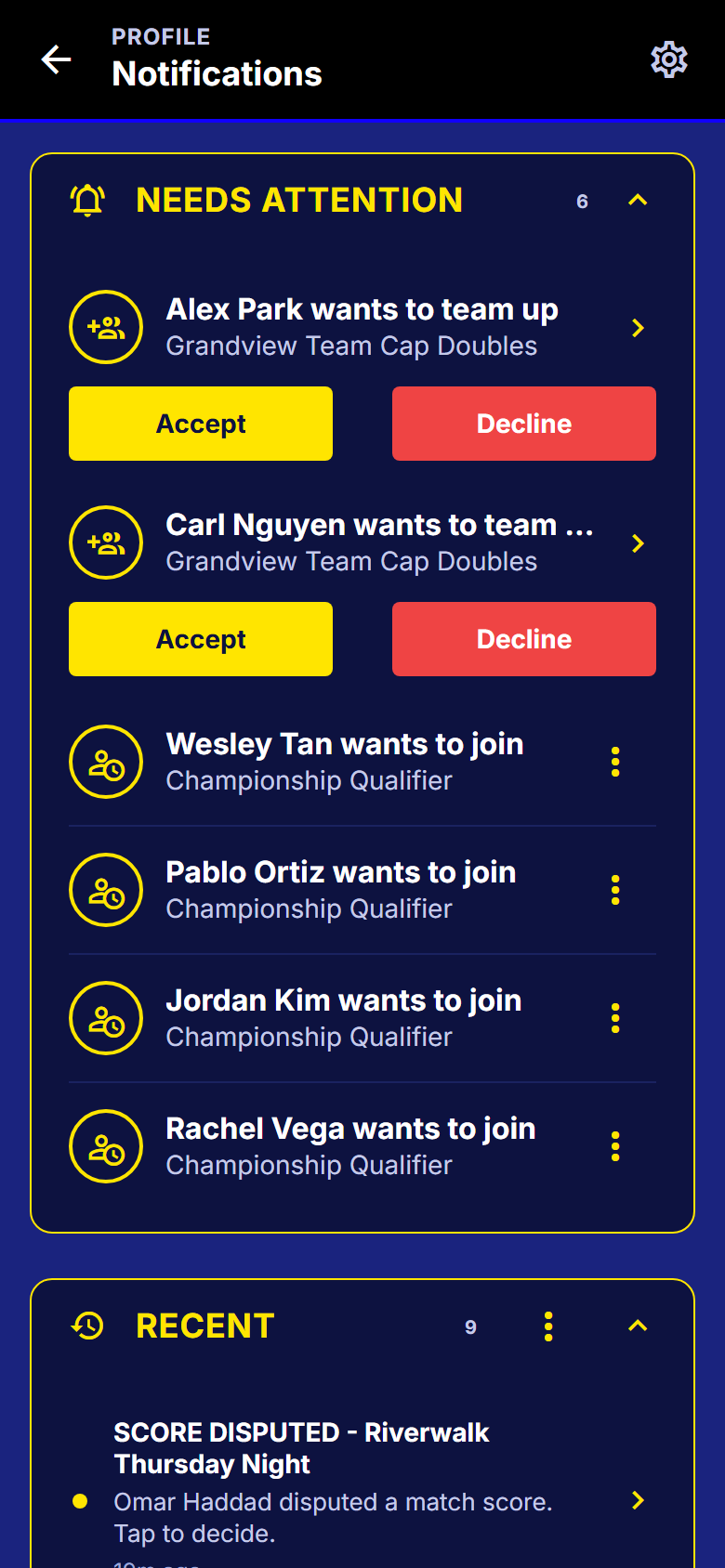
An inbox, not just a buzz
- Turning a category off silences the phone, never the record.
- Answer in the inbox: accept a team-up or admit a join request without opening anything.
- Signed in on a phone and a tablet? Both get the push.
- Tapping a notification lands on the right screen, even from a closed app.
All the notification detail
- Push for the moments that matter
- Event starting, your round is ready, you were promoted off the waitlist, a score was disputed, and more. Over 24 types.
- In-app inbox
- The full record of what happened, kept even when the phone alert is off.
- Per-category push controls
- Seven categories across two sections, when you play and when you host. Turning one off silences the phone, never the record.
- Every device you use gets the push
- Sign in on a phone and a tablet and both buzz. Dead registrations are pruned.
- Tapping a notification lands on the right screen
- Even from a killed or swiped-away app.
- Needs your attention, on Home
- A self-clearing list of what is waiting on you, with consent items answerable inline.
- Mark all read, clear read
- Housekeeping verbs on the feed, and a completed event's notifications prune themselves.
Privacy
Every field has an eye you can close
And closing one never changes what you are allowed to join.
Visible because you said so
- Name, sex, age, ratings, location and your win-loss record each have their own switch.
- Hiding one changes who can see it, never whether you can join a night.
- Joining a filtered night, you show that host just what they need, just for that night.
- Your date of birth is never shown, only an age, and only while you leave age public.
- Your email is never shown to another player.
No GPS, no contacts, no microphone, no camera roll scraping. The privacy policy lists what is not collected, and the list is short.
All the privacy controls
- Editable email and display name
- Change either later without breaking your event history. Your identity is a UUID, never your email.
- Delete your account in-app
- Profile, then Account and Security, then Delete account. Historical standings stay coherent under an anonymous entry.
- Sign out on all devices
- Account and Security, then Devices. Every session ends, enforced on the server.
- Session survives restarts, encrypted at rest
- You stay signed in, and the device store is AES-256 encrypted.
- Host sees real names, players do not
- A participant's real name is host-only, and non-hosts never receive hidden fields over the wire.
- Per-field privacy toggles
- Name, sex, age, DUPR rating and ID, self-rating and location each have an eye you can close.
- Eligibility never depends on what is public
- Hiding your rating never changes whether you qualify for an event. It only changes who can see it.
- Disclose for one event only
- Asked to join a filtered event, you can show the host just what is needed, just this once.
- Raw date of birth is never exposed
- Only a derived age, and only while you leave age public.
- Email is never shown to other players
- Ever.
- No GPS, no contacts, no microphone, no camera roll scraping
- The privacy policy lists what is not collected, and the list is short.
- Opt out of being findable
- One toggle removes you from player search.
- Your record is public by default, with a toggle
- Your win-loss record shows on your card unless you turn it off on the Stats screen.
- Search results show only what a player made public
- Location, distance band, rating, age and sex appear only if that person left them visible.
Finding people and nights
Browse events, and find the player you mean
A filter sheet and quick pills, over nights that are genuinely open to you.
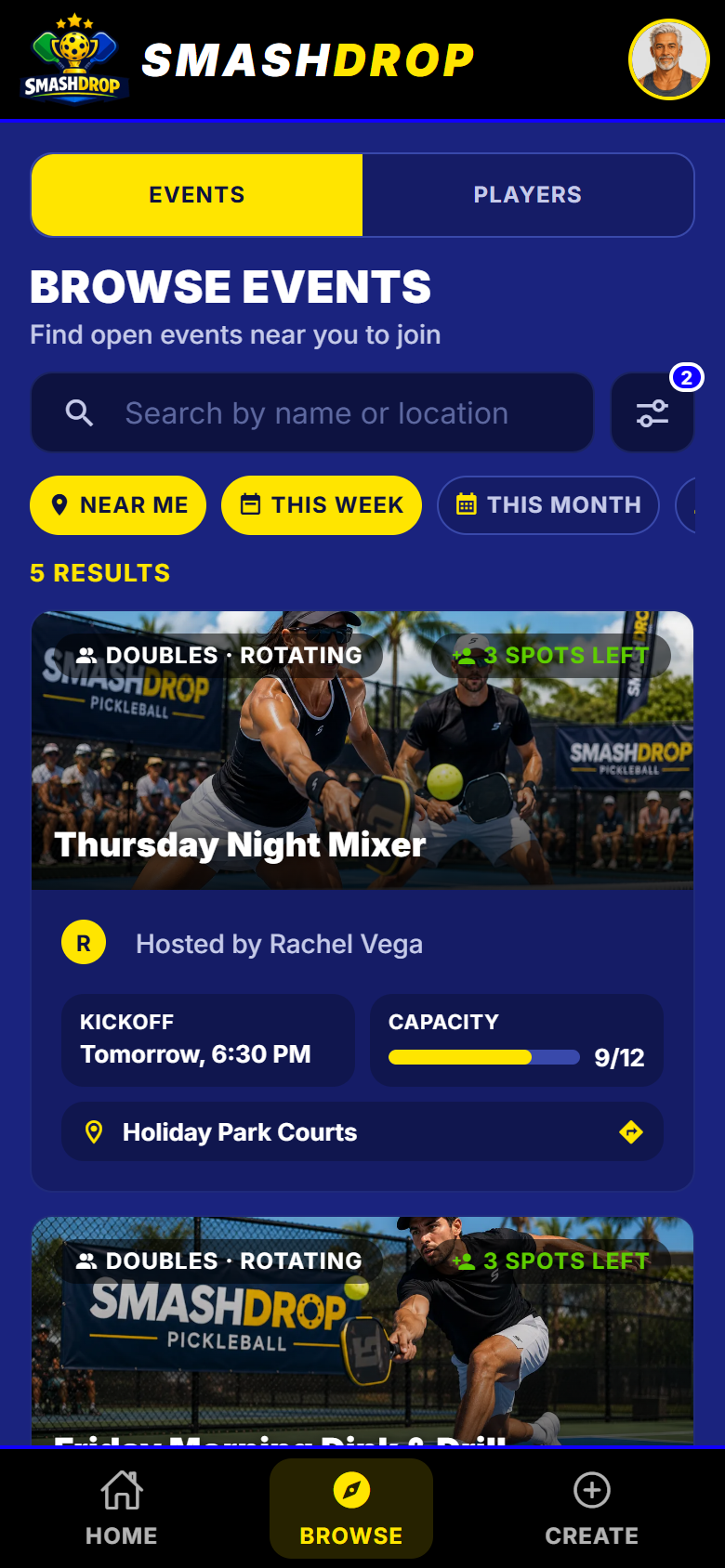
Filtered by what you actually weigh
- Distance, date, format, rating band and DUPR rating, with pills for the common ones.
- A card shows the format, the rating band, the DUPR marker and how full it is.
- Search players by name, with Near me and In my network.
- A result only shows what that person left visible. One toggle hides you entirely.
All the browse and search detail
- Browse filters by DUPR designation
- Find the rated nights.
- Browse public events
- Find a night to join, filtered by location, date, format and DUPR designation.
- Cross-event stats
- Events played, matches, wins, losses, win rate, singles against doubles, top partners and recent form.
- Event cards carry the signals you weigh
- Rating band, division, format and partner mode, DUPR marker, state, and how full it is.
- Opt out of being findable
- One toggle removes you from player search.
- Browse events
- Search public events with a filter sheet and quick pills.
- Filter by distance, date, rating and DUPR designation
- Find a night near you, this week, at your level.
- Browse players
- Search the directory by name, with Near me and In my network.
- Search results show only what a player made public
- Location, distance band, rating, age and sex appear only if that person left them visible.
- Public player card
- A full player page: identity, ratings, record and a stats breakdown, all subject to that person's own privacy eyes.
Built for the court
Three themes, one standard
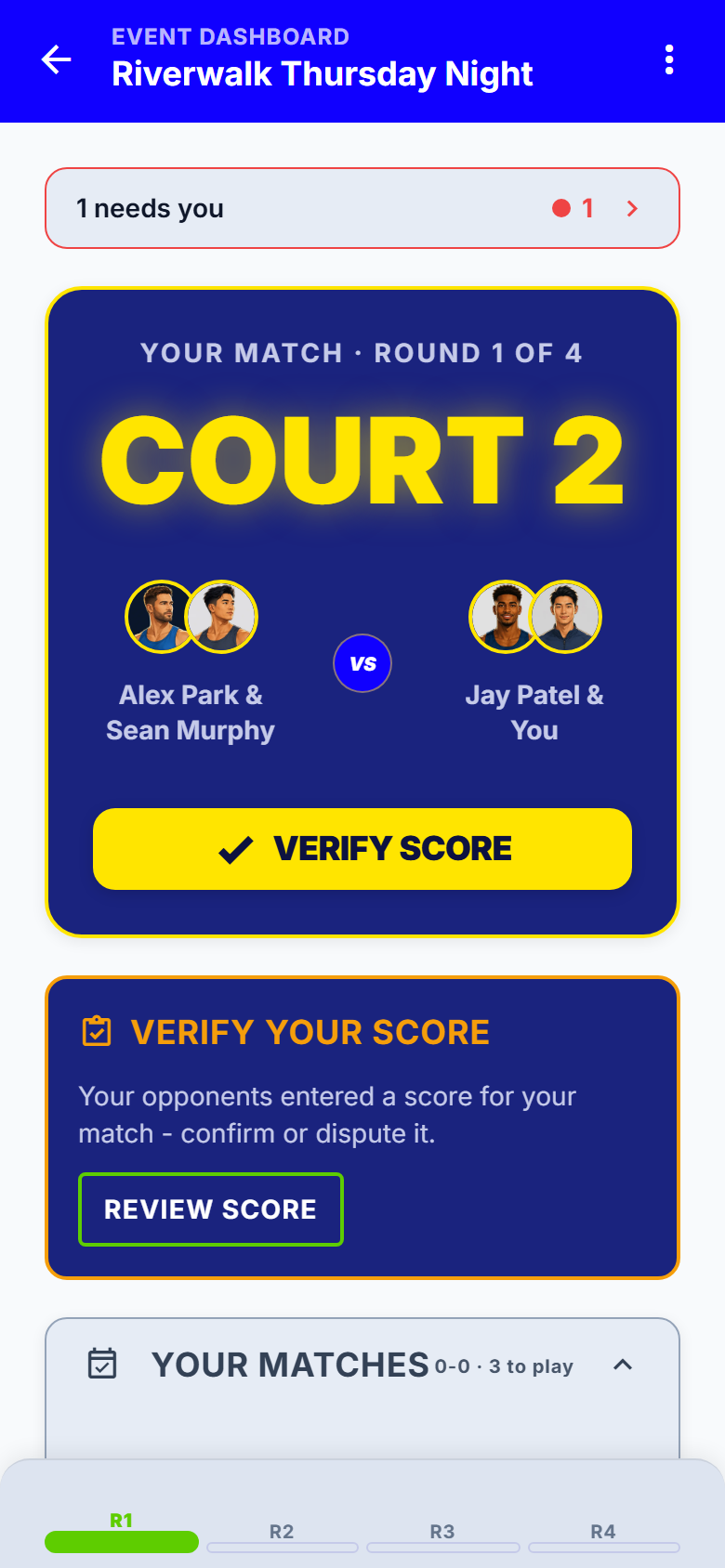
A dark gym, an evening outdoors and bright sun are three different reading problems. The build checks the contrast, not a person.
All the craft detail
- Three themes: Court, Night and Day
- Built for a dark gym, an outdoor evening, and bright sun.
- Contrast and touch-target guards in CI
- The design system is machine-enforced, not a style guide somebody remembers.
- Screen-reader support on the live surfaces
- Podium columns, match-state badges and ranked rows all carry real spoken labels.
- Bounded network behavior
- A weak gym connection gives you a bounded failure and a way forward, not a screen frozen for three minutes.
- Live updates without a refresh
- Scores and standings push to every connected phone, with a poll backing it up while the event is live.
- Crash and error reporting in production
- Problems are seen and fixed rather than reported by a user twice.
- Reduce-motion respected
- Every animation, coachmark and page turn honors the system setting.
- Coachmarks and a first-run spotlight
- The app teaches its own controls once, with an explicit Got it rather than a tap-outside guess.
- Updates apply on next open
- A downloaded update applies on the next cold start, or on demand from About.
- Branded emails that work in Outlook
- Auth and invite emails render properly on a phone and in Outlook, not as broken HTML.
Not yet
Planned, not shipped
Two things, with the windows we are working to. Nothing above this line is on this list.
Check-in at the door
Mark players present as they arrive, so round one is built from who is actually there.
Standings across a series
Link several nights so standings carry week to week. That is what turns a Tuesday into a season.
Get SmashDrop
Free for casual hosts. iOS and Android. No card.