Five Steps. Zero Hassle.

From creating your event to final standings — here's how SMASHDROP turns chaos into smooth, fair, fun pickleball.

1

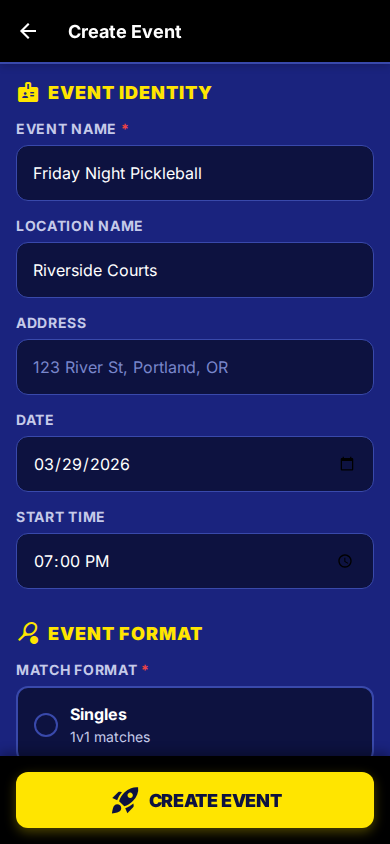
Create Your Event

Open the app, tap "Create Event," and configure in under 60 seconds.

Name your event — "Friday Night Pickleball"
Pick format — Singles, Doubles, or Fixed Teams
Set courts & max players — 3 courts, 16 players
Choose round generation — On-the-fly or Upfront
SmashDrop Create Event
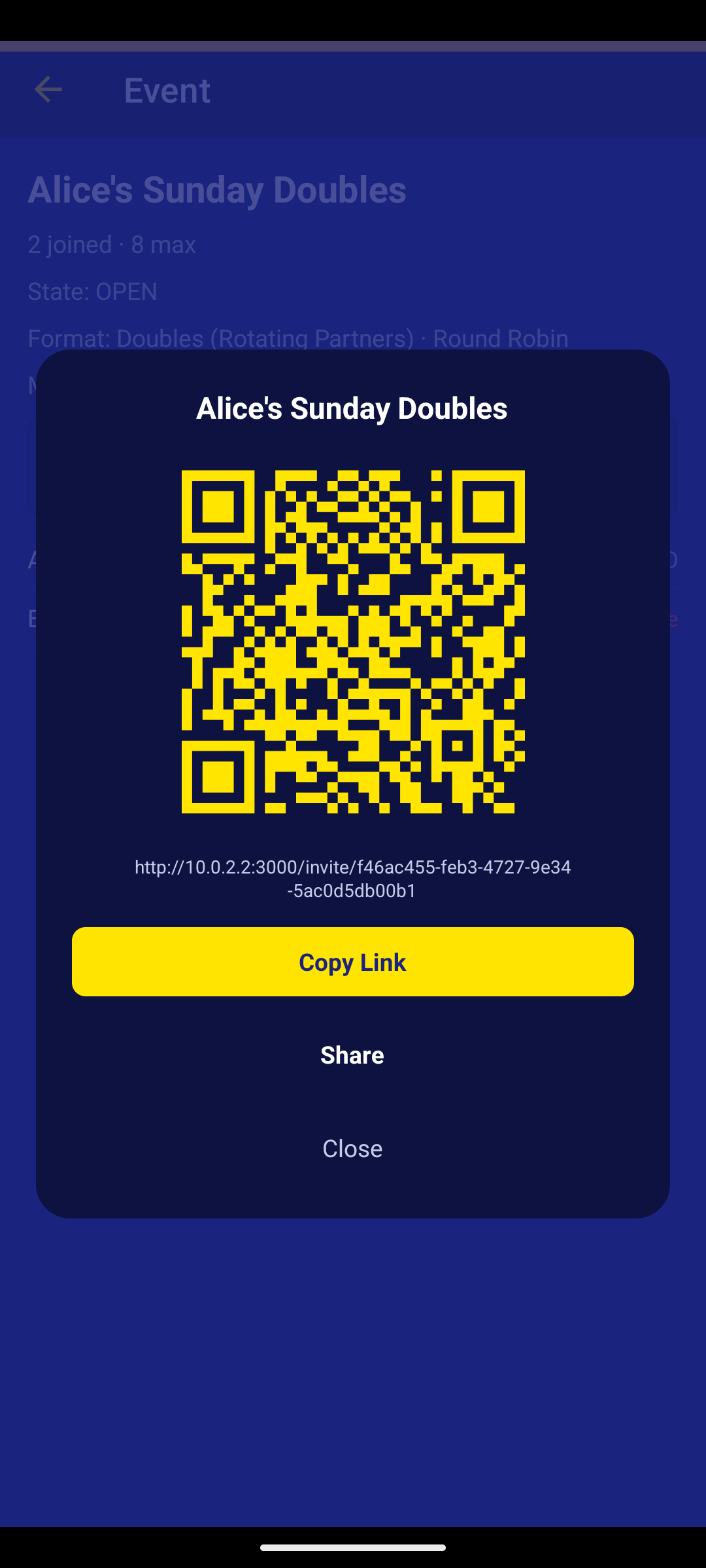
SmashDrop Share Event with QR Code
2

Share a Link or QR Code

SMASHDROP generates a unique invite link and QR code for every event. Text it, post it on the board at the club, or show it on your phone — players scan or tap and they're in.

Two Ways to Invite
Invite link — text it, email it, drop it in the group chat
QR code — post it at the front desk, show it on your phone

Either way — one tap and they're in. New users get guided through install first.

3

Smart Matchups

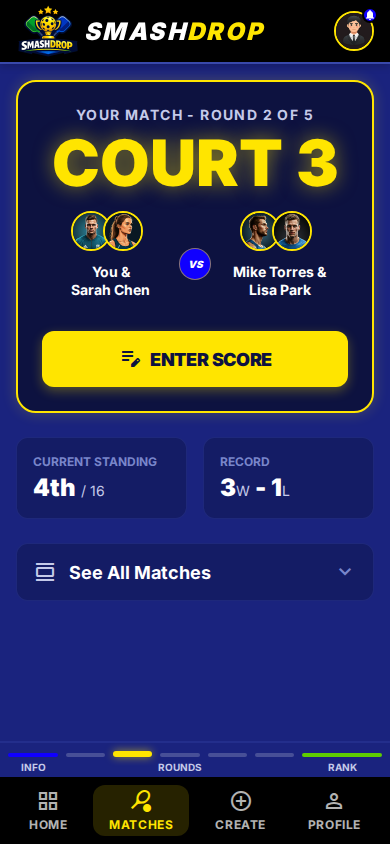
The host starts the event and the scheduling engine generates fair matchups instantly. Every player sees their court assignment on their phone.

What the engine optimizes:

1
Valid match structure — right player count, no double-booking
2
Even sit-out distribution across all players
3
Maximum opponent diversity — no repeat matchups
4
Partner rotation — new doubles partner each round
SmashDrop Player Dashboard
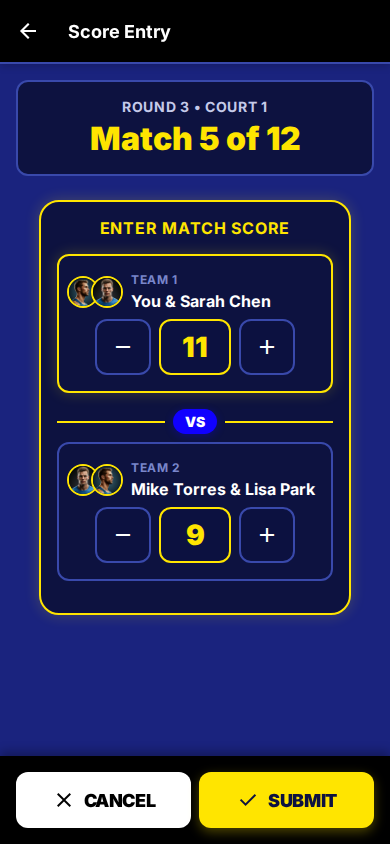
SmashDrop Score Entry
4

Enter & Verify Scores

After each match, tap +/- to set the score and submit. The opposing team verifies. Disputes go straight to the host.

10s
To Enter
Verified
Live
5

Live Standings

Every player sees the leaderboard update in real time. When the event ends, final standings are frozen and preserved.

Live Standings
1 MJ Mike Johnson 5W – 1L +24
2 SC Sarah Chen 4W – 2L +18
3 TP Tom Park 4W – 2L +12

That's It. Seriously.

No clipboards. No group texts. No mental math. Just fair, fun, organized pickleball.

Coming Soon