Run your first event, start to finish
Seven steps, from an empty screen to a first round on the courts. You meet these screens in this order.
Why this matters
Almost all the work of running a night happens before anybody serves, and it all lands on one person. Set it up once here, and next week is one tap.
From the app
Seven steps
- 1
Answer six short questions
What to call the night, how you want to play, and where. If you already know exactly what you want, one switch turns the whole thing into a single form.
- Singles or doubles. Rotating partners or fixed teams.
- Build rounds as courts free up, or draw the whole night up front.
- Type where you play, then add a how-to-find-us note.
- Add a cover photo. A night with a picture looks like something.
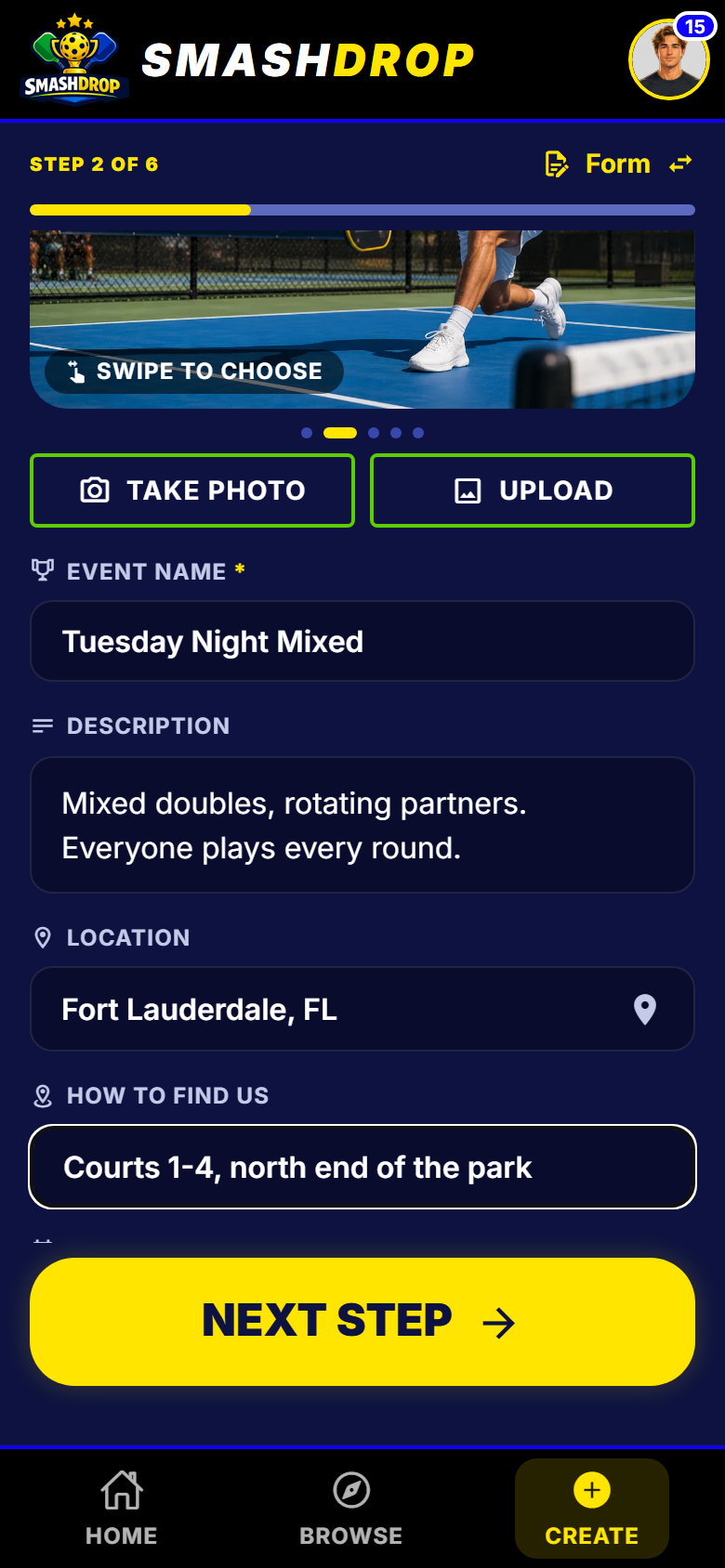
The basics, step 2 of 6 - 2
Set the courts and the cap
Two numbers shape the night: how many matches run at once, and how many people can sign up.
- Free covers 6 courts and 24 players, on as many nights as you like.
- When it fills up, people join a waiting list and see their place in it.
- Somebody drops out and the next one is let in automatically.
- Bigger than 24 players or 6 courts is Pro, from 1 February 2027.
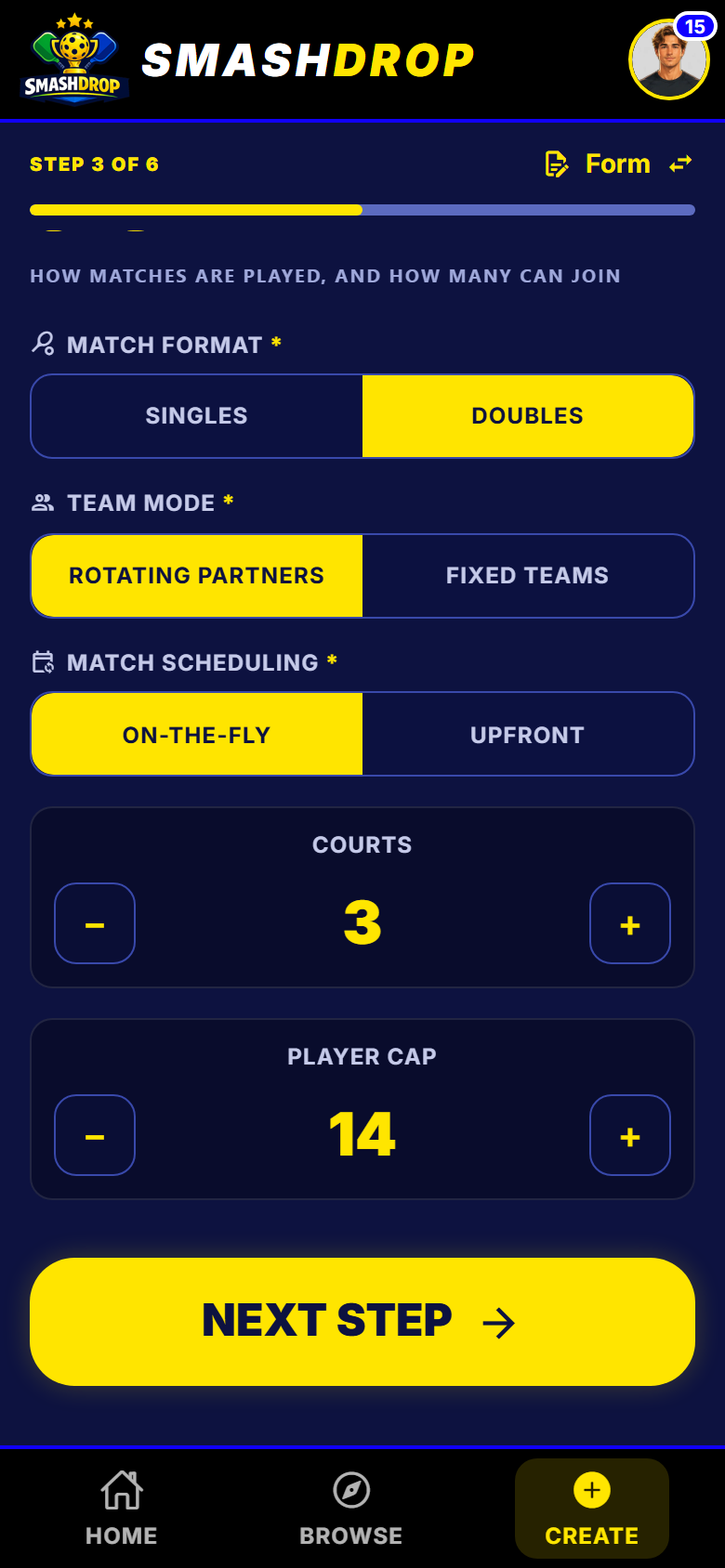
Format and size, step 3 of 6 - 3
Decide who joins, who scores
Who can see the night, who is allowed in, and who can put a score in. You can loosen any of it later.
- Open to anyone, invite only, or private so you approve each person.
- Limit it by sex, age or rating if you want to.
- Somebody who does not fit asks you, instead of hitting a dead end.
- Choose whether the other side has to confirm a score.
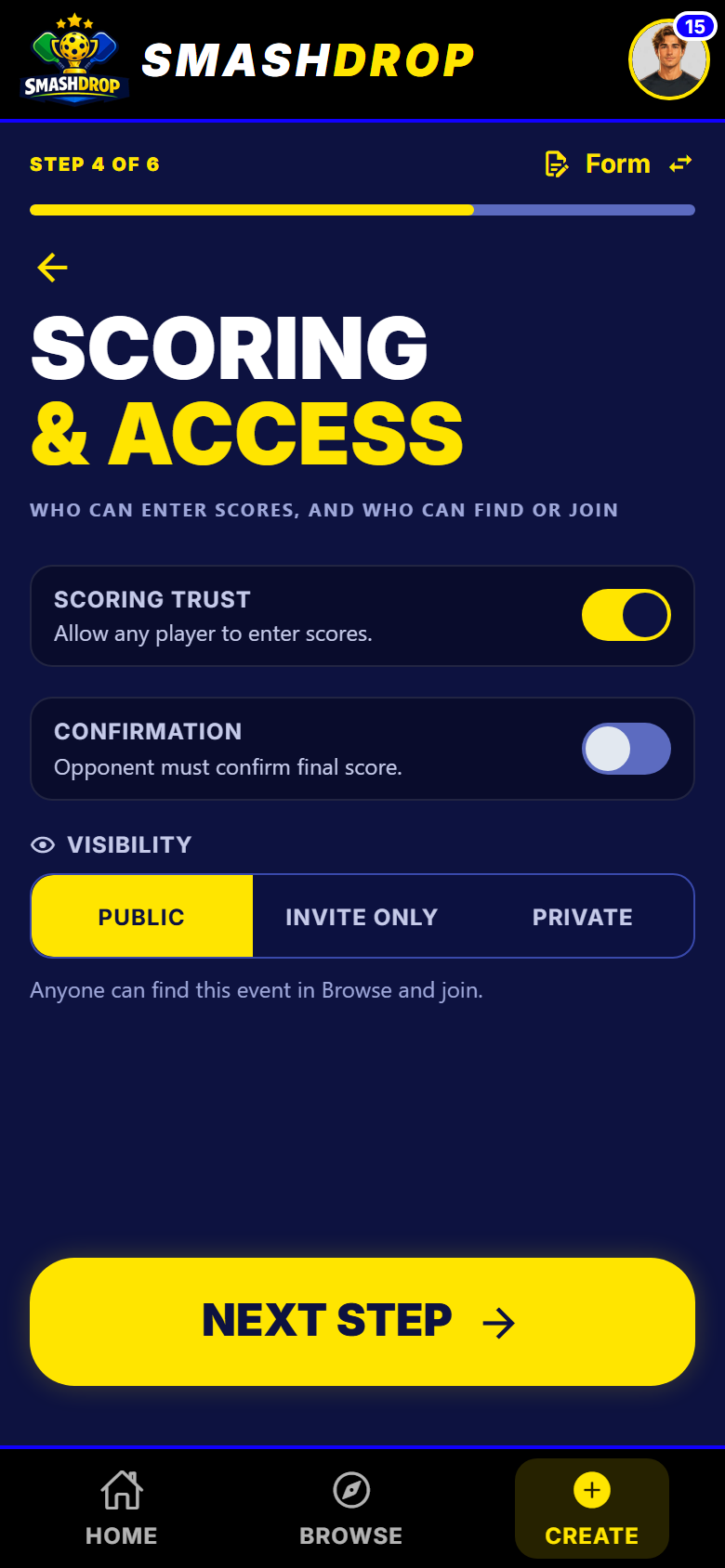
Scoring and access, step 4 of 6 - 4
Read it back, then commit
The last step reads the whole night back to you in plain English. Nothing exists until you tap the button.
- Mark the night Casual, DUPR Rated or DUPR+ here.
- Switch the finals bracket on if you want it to end on a winner.
- Save the setup and next week is one tap.
- Change anything, right up to the moment you start.
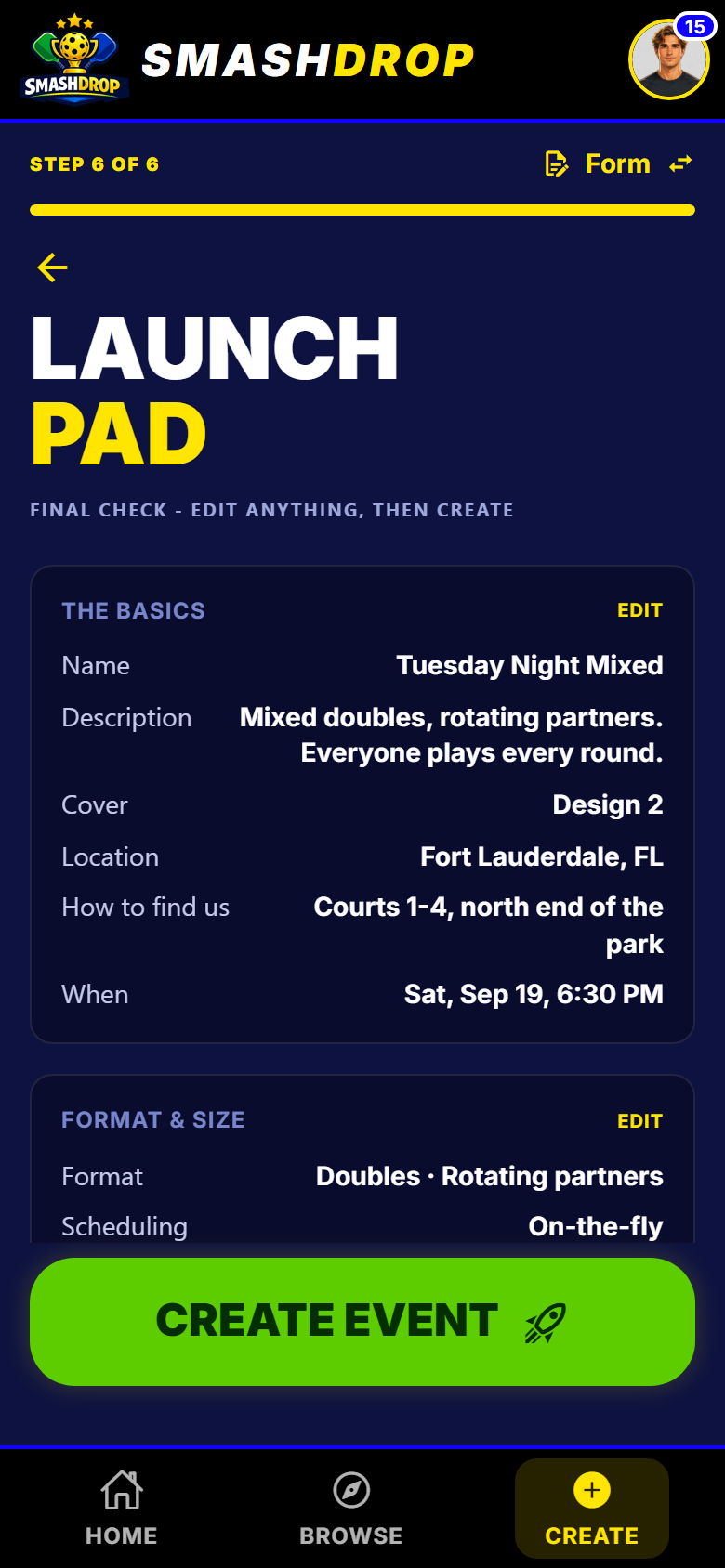
The review step, before anything exists - 5
Send one link
One link, one QR code, one short code. People sign themselves up and you watch the list fill.
- No app? The link shows them the night, then the store, then the night again.
- Tap it before you have an account and it still drops you in afterwards.
- You can also invite somebody by name, or by email.
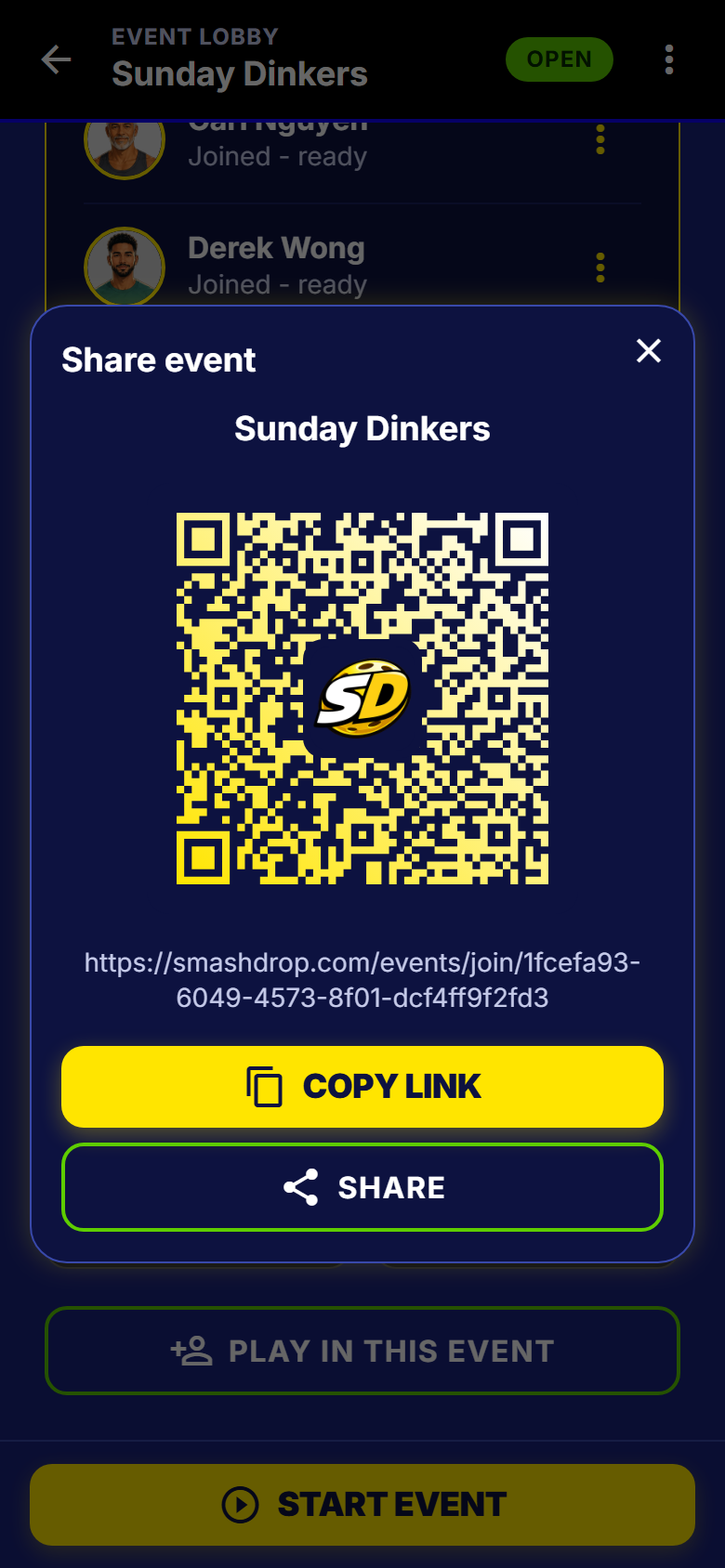
One link, one QR code, one join code - 6
Seat a guest by name
For the one person who is never downloading anything. Type their name and the spot is there.
- By name, one or a whole list. No account, nothing to accept.
- They are on the list, in every round, and in the table all night.
- Afterwards they can sign up and take the spot, results and all.
- Free on every plan.
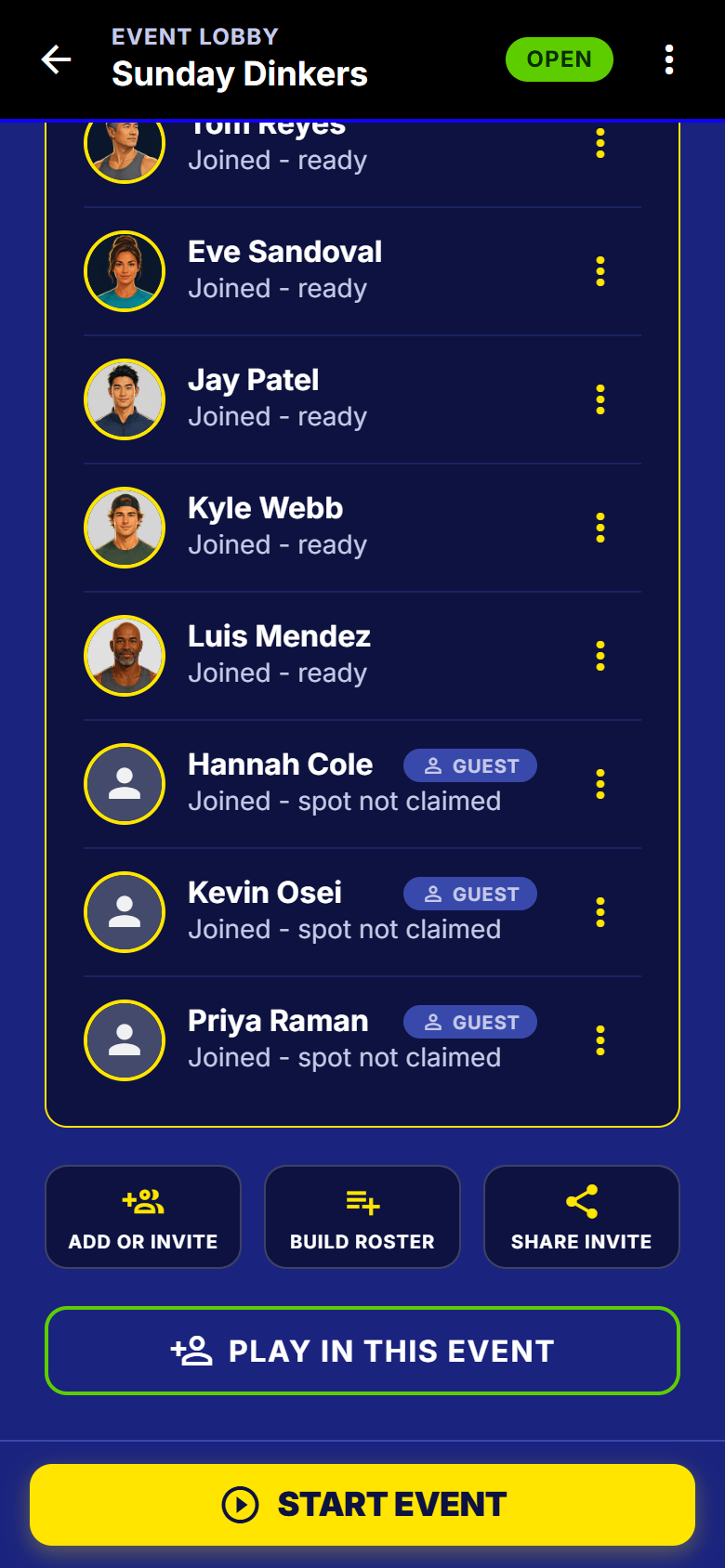
Guests, on the list with everybody else - 7
Start it
The app will not let you start a night that cannot run. Anything missing is a link straight to the fix.
- Courts, partners, opponents and sit-outs are worked out for you.
- Play in the night, run it from the sideline, or both.
- Somebody who turns up late joins from the next round.
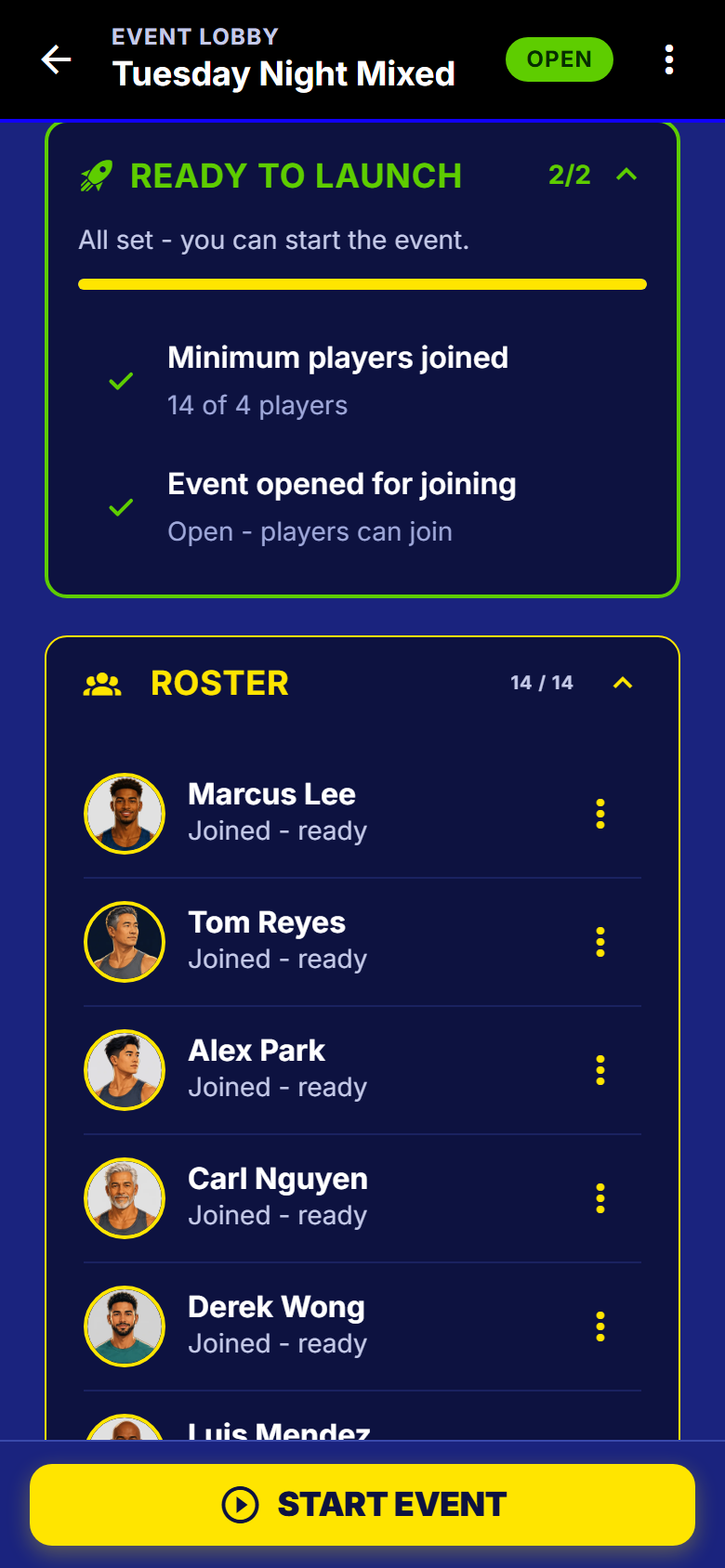
The ready-to-start check, both boxes ticked
What to watch out for
Good to know
- Set a number of rounds and the app plans each person's fair share of sit-outs before round one. Play until you stop and it evens them out round by round instead.
- A template saves the whole setup, and can remember this week's players. Next week it asks you about each one: add, invite or leave out.
- Casual hosting is free forever: as many nights as you like, up to 24 players and 6 courts, one host. No trial, no card.
- Players are never charged. Not to join, not to see the table, not to get their DUPR results.
What happens next
The first round is on the courts. Running the night picks it up there, and your players have their own walkthrough.
Get SmashDrop
Free for casual hosts. iOS and Android. No credit card.