Run the night from one screen
Five steps through one real round: reading your screen, settling an argument over a score, and moving the courts on without waiting for the slowest match.
Why this matters
Two people disagree about a score, somebody turns up late, and one court is still playing while three stand empty. The screen finds you, so you are not going looking.
From the app
Five steps
- 1
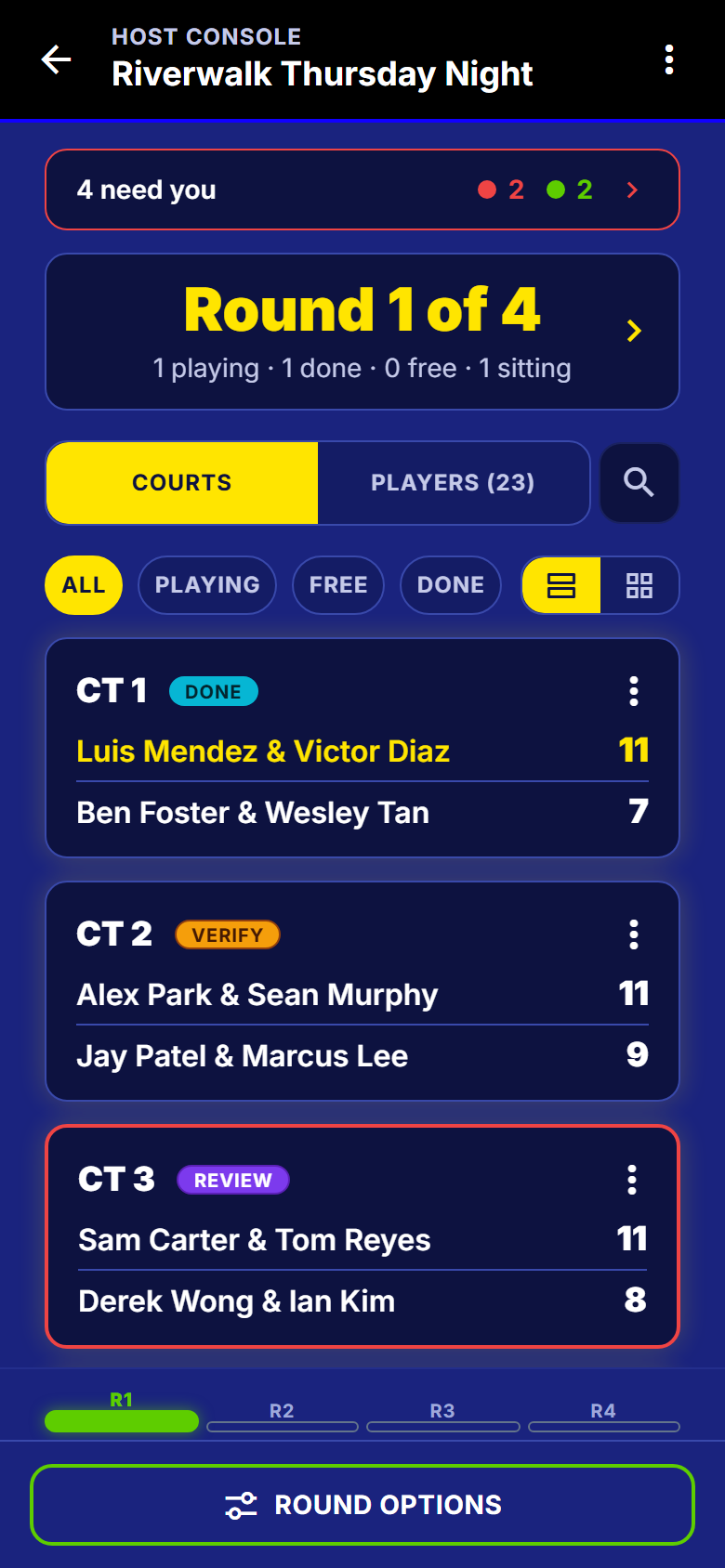
Read the top of the screen
One screen carries the whole night. If nothing needs you, nothing shouts.
- The banner counts what is waiting on you.
- The round header: playing, done, courts free, sitting out.
- Filter the court rows, or switch to a tighter grid.
- Search a name for everything about that player.
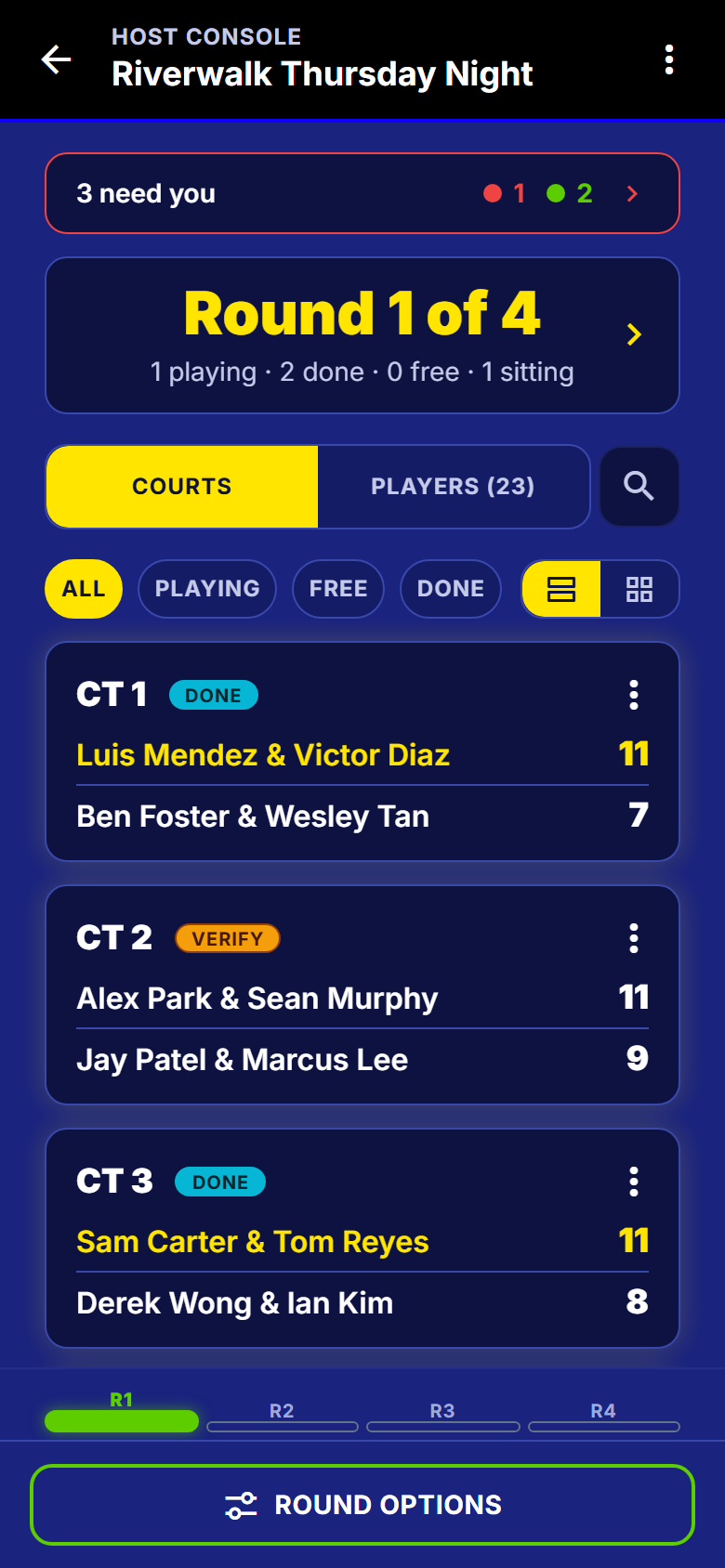
Your screen, three things waiting - 2
Open what needs you
Tap the banner. Red is an argument happening on a court right now. Green can wait.
- Every row names the court, the match and the people.
- Filter to just the urgent ones, the scores, or the people.
- Late arrivals land here too, so nobody gets lost.
- Tap a row and you are on the screen that fixes it.

Ranked by how much it matters - 3
Settle the argument
The match opens with both sides, the score that was entered, and who entered it. Three ways out, none of them a conversation on court.
- Back the score as entered and it counts.
- Put the right score in yourself. The table redoes itself.
- Throw the match out. It stops counting, and it is not deleted.
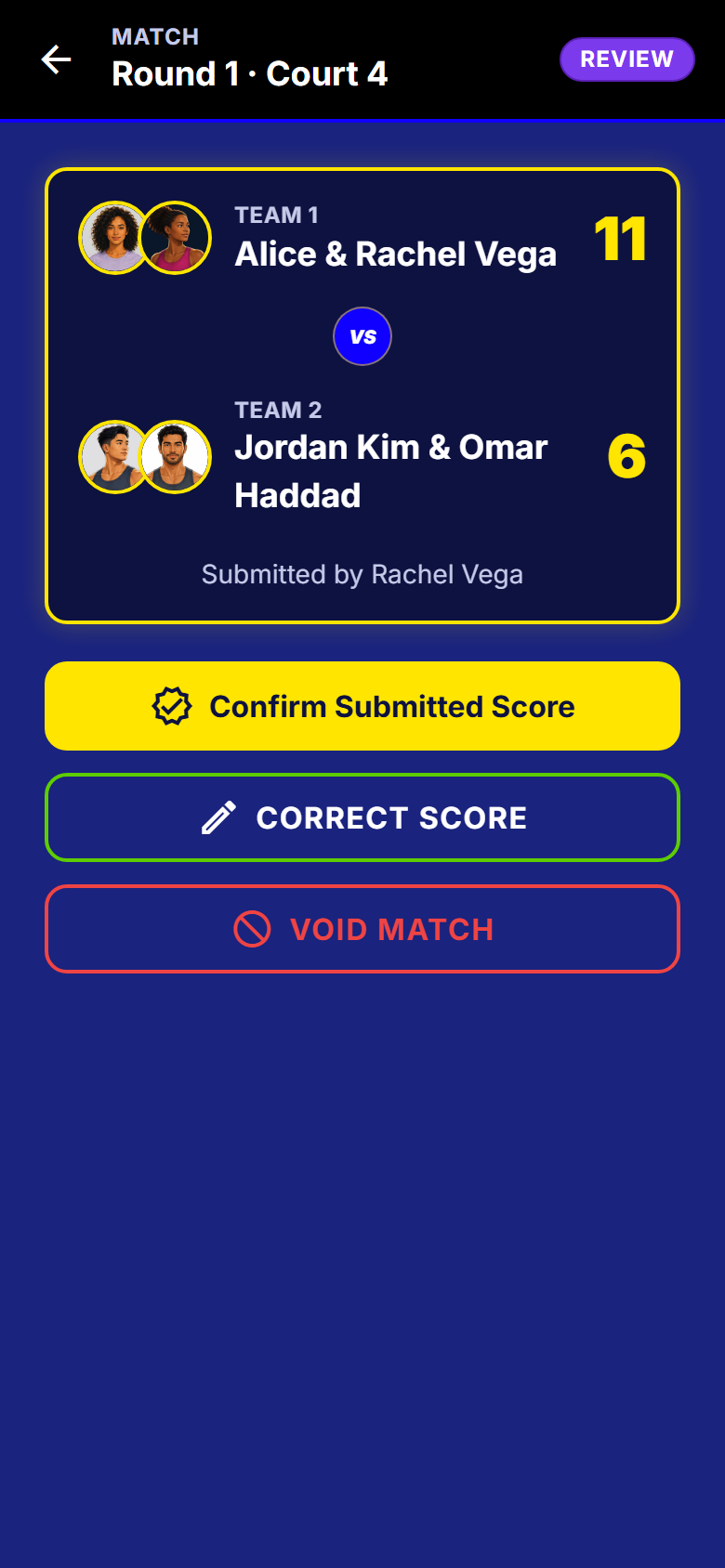
Both versions, three ways out - 4
Watch the list clear
The red is gone and the banner is down to two green items that can wait. It is a to-do list, not a record.
- Red turns green when nothing urgent is left.
- The court row now shows how it was settled.
- Nothing to dismiss by hand. Fixing it removes the row.
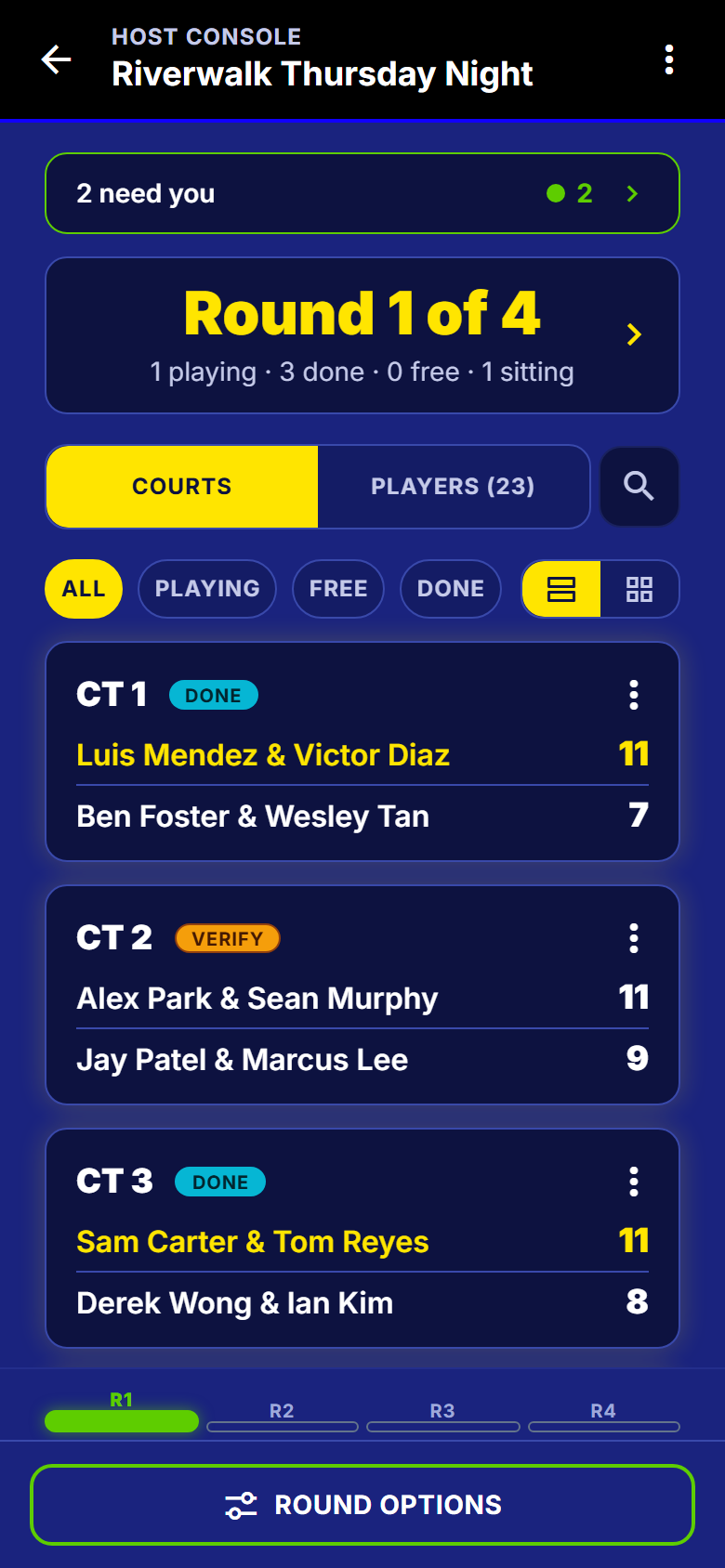
The same screen, one argument later - 5
Move the round on
Do not wait for the slowest match. Start the next round on the courts that are free.
- Force advance pushes a match through. Voiding takes it out of the table.
- Swap a player, and the app says what that changes before you do it.
- Build a match by hand from whoever is sitting out.
- Throw out a round you started by mistake.
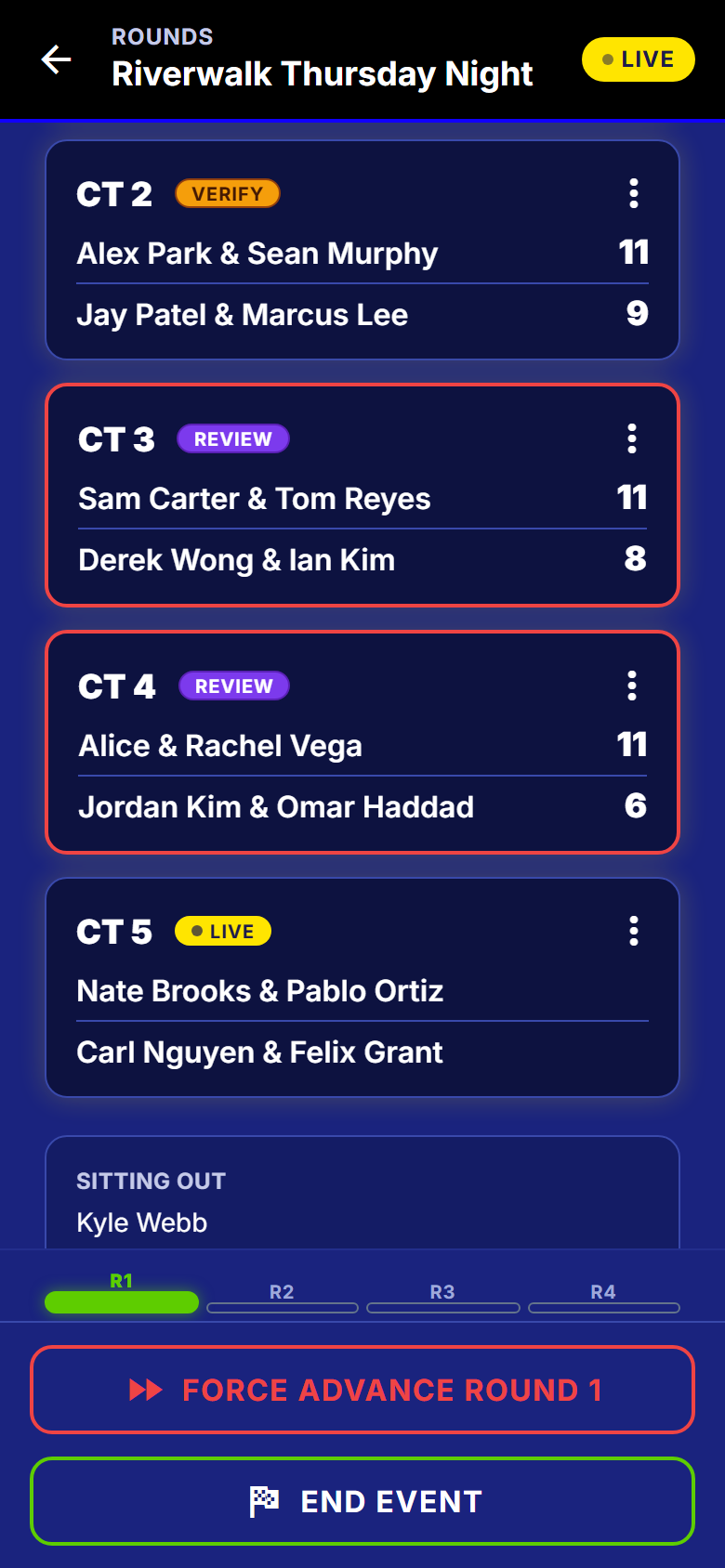
The round, with the sit-out named
The part you will be asked about
How it picks who plays who
Somebody who sat out twice is going to ask. The rule is written down, and the same one runs every round.
Worked out, not shuffled
- Three schedulers, one per format: singles, rotating partners, fixed teams.
- In singles, a full cycle gives everybody every opponent exactly once.
- In doubles it scores every possible pairing against the night so far. Fewest repeats wins.
- Sitting out twice in a row is the thing it works hardest to avoid.
- Each round keeps a record of how it was built, so there is a real answer to "why did round 4 look like that".
What to watch out for
Good to know
- A swap or a hand-built match counts as something that really happened, so later rounds stay fair and the sit-out count stays honest.
- The table is worked out in one place, so two phones never disagree about who is second.
- A weak gym signal gives you a clear message and a way forward, not a frozen screen.
- You can fix any score at any time, even after the night is over.
What happens next
The last score goes in and the table is final: ending the night on a winner covers the cut, the bracket and the podium.
Get SmashDrop
Free for casual hosts. iOS and Android. No credit card.