How to run a DUPR-rated round robin
A rated night is an ordinary night with one decision at the start and one send at the end. DUPR is included on every SmashDrop plan, the free one included.
Why this matters
People turn up to a rated night because the results count. The usual way that fails is finding out at the end that two people never connected their accounts.
From the app
Before the night
- 1
Connect DUPR once
Open Profile, then Player ratings, and connect. You sign in to DUPR itself and approve SmashDrop.
- Your singles and doubles ratings are read from DUPR and kept current.
- A DUPR+ membership shows on the same card, because some nights need it.
- Refresh, disconnect or report a rating issue from that card.
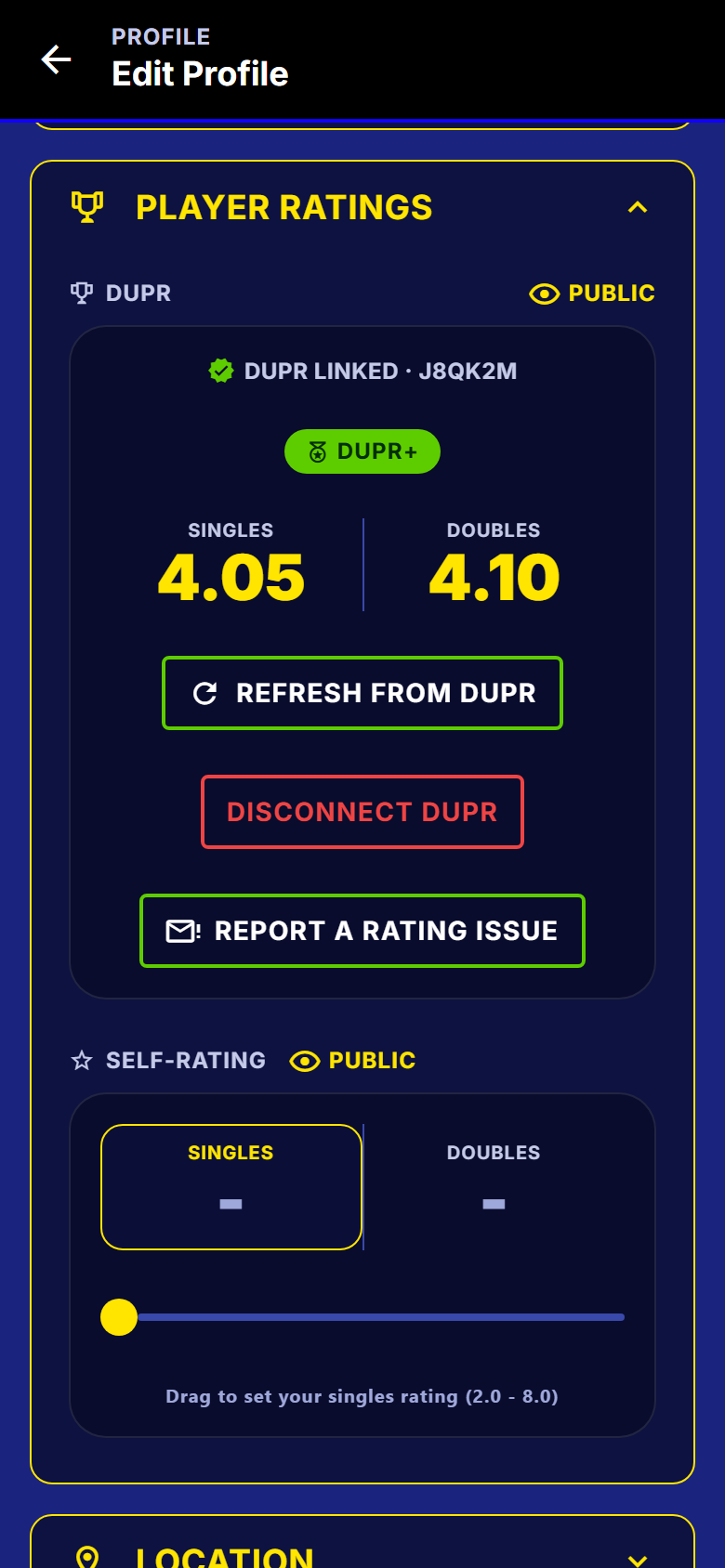
A connected DUPR account on a player profile, with the ratings read from DUPR. - 2
Create the event
Set it up as usual. The format step is where you pick singles or doubles, rotating partners or fixed teams, and how many courts you have.
- Every combination is supported, each with its own scheduler.
- The court and player numbers shape the night, so set them here.
- You can still change any of it up to the moment you start.
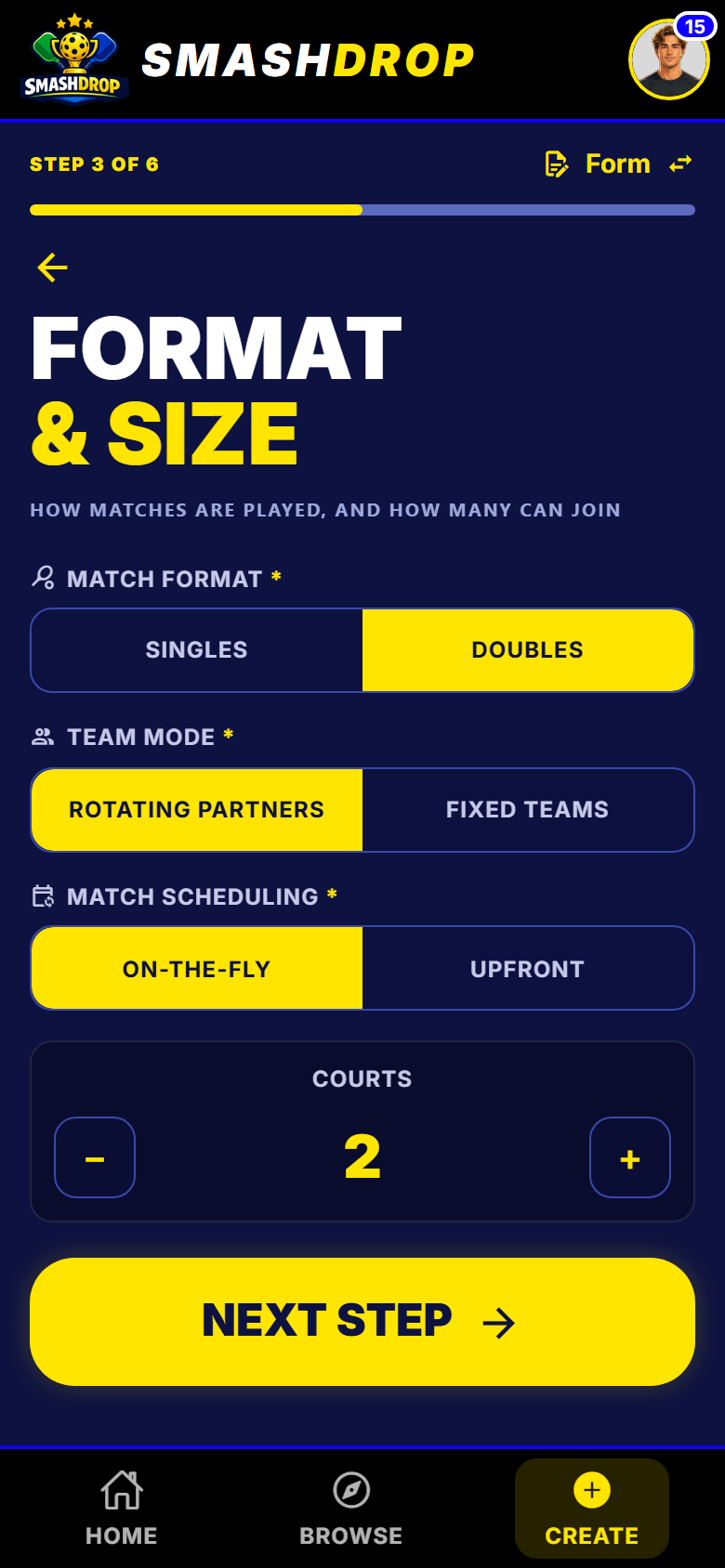
The format step of the create-event wizard. - 3
Mark the night rated
On the filters step, switch the rating source to DUPR. That reveals the choice between DUPR Rated and DUPR+ only.
- DUPR Rated: results go to DUPR, and any connected player can join.
- DUPR+ only: players need a DUPR+ subscription as well.
- Leave the rating source alone and nothing is ever sent to DUPR.
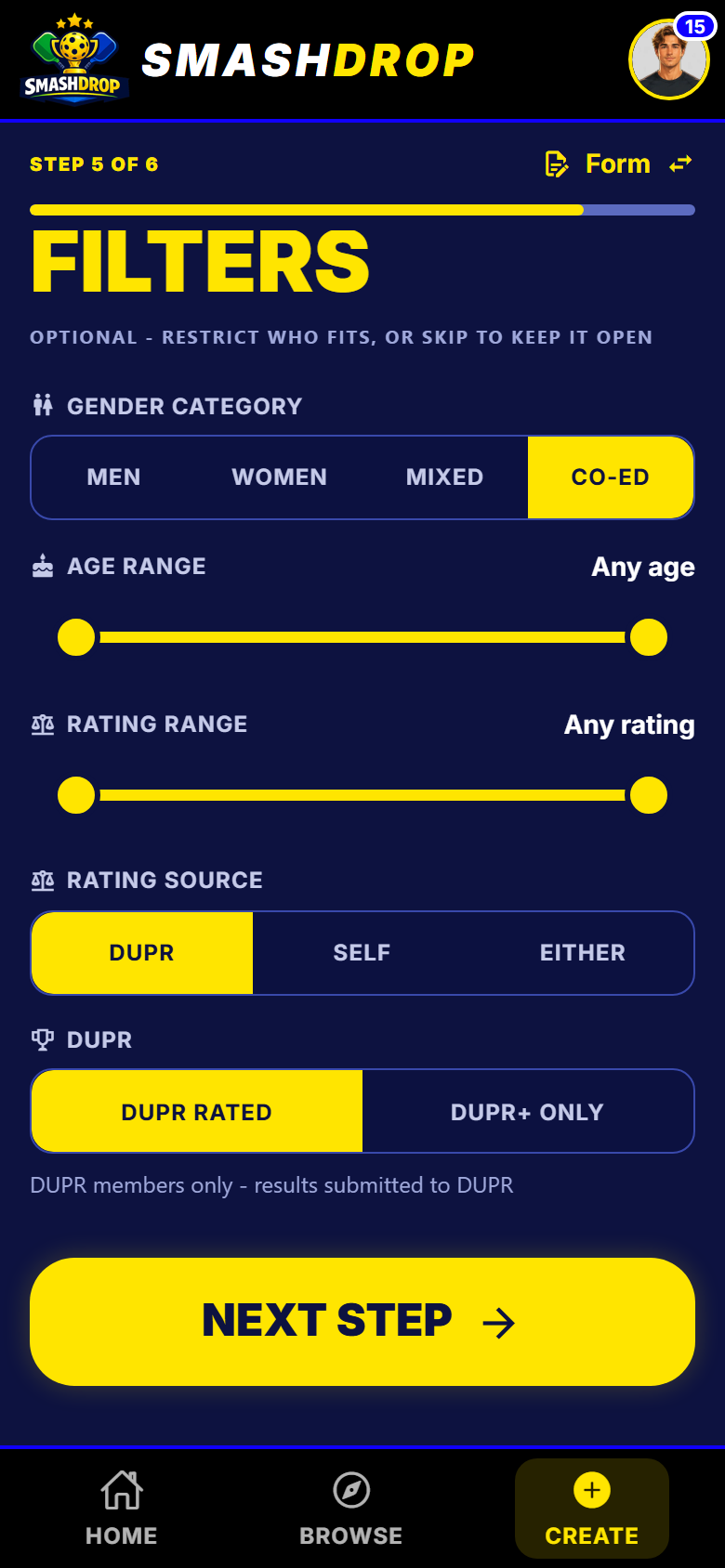
The rated choice appears once the rating source is DUPR.
On the night
- 4
Get everyone connected first
On a rated night the check happens at the door, so you find out on Tuesday morning rather than at the end.
- A player who is not connected lands with the reason named and a way to fix it.
- This is the one rule a host override cannot open. That is what keeps the results clean.
- One message to the group a few days ahead saves the whole problem.
- 5
Play, then send the results
Run the night exactly as you would a casual one. Ending the event sends its matches to DUPR.
- A check names anything it cannot send: no score, a tie, or a winning score under 6.
- It re-checks every player too, so a DUPR connection that lapsed mid-night is caught.
- Correct a score afterwards and SmashDrop updates it at DUPR.
What to watch out for
Next
Running the night covers the host screen once the courts are busy, and sharing the running of your night covers handing the scoring desk to somebody else.
Get SmashDrop
Free for casual hosts. iOS and Android. No card.