How to handle a late arrival or a drop-out
People show up late and people leave early. Here is how to fold them in and out of a night that is already running, without the table getting messy.
Why this matters
A round robin only works if the numbers stay honest. A latecomer added the wrong way, or a no-show left in, throws off who plays who and who sits out.
From the app
On the night
- 1
Spot who just turned up
Somebody arriving after the start does not get lost. They land in the needs-you list by name, next to the scores and the disputes.
- The list names them, so you are not scanning the roster for a new face.
- Add them and they are in the night, counted like everybody else.

The needs-you list. Late arrivals show up by name, not as a blank. - 2
Fill an empty spot from the waitlist
Once a night is full, extra players queue on a waitlist and see their place in it. When a spot opens, the next person is let in on their own.
- You do not have to watch it. Promotion happens automatically.
- You can also promote somebody by hand from the roster.
- The same screen marks a player left, removes them, or reinstates them.
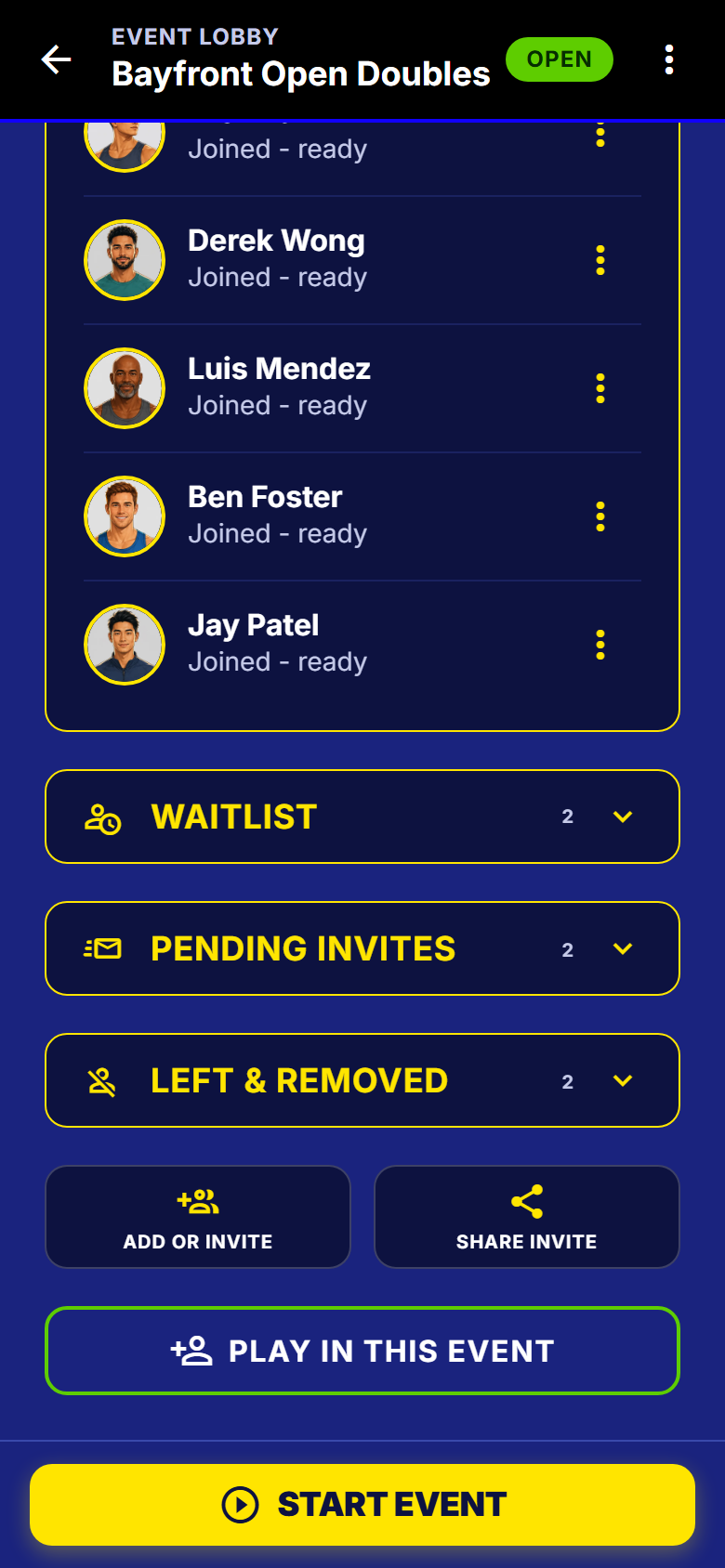
The roster screen, scrolled to the waitlist and the players who have left. - 3
Swap a player mid-round
If two people need to trade places, or one has to sit for a partner who did not show, change the lineup on the match. The app tells you what that changes before you do it.
- Replace one player, or swap two around.
- Or build a match by hand from whoever is sitting out.
- A hand-made change counts as real, so later rounds stay fair.
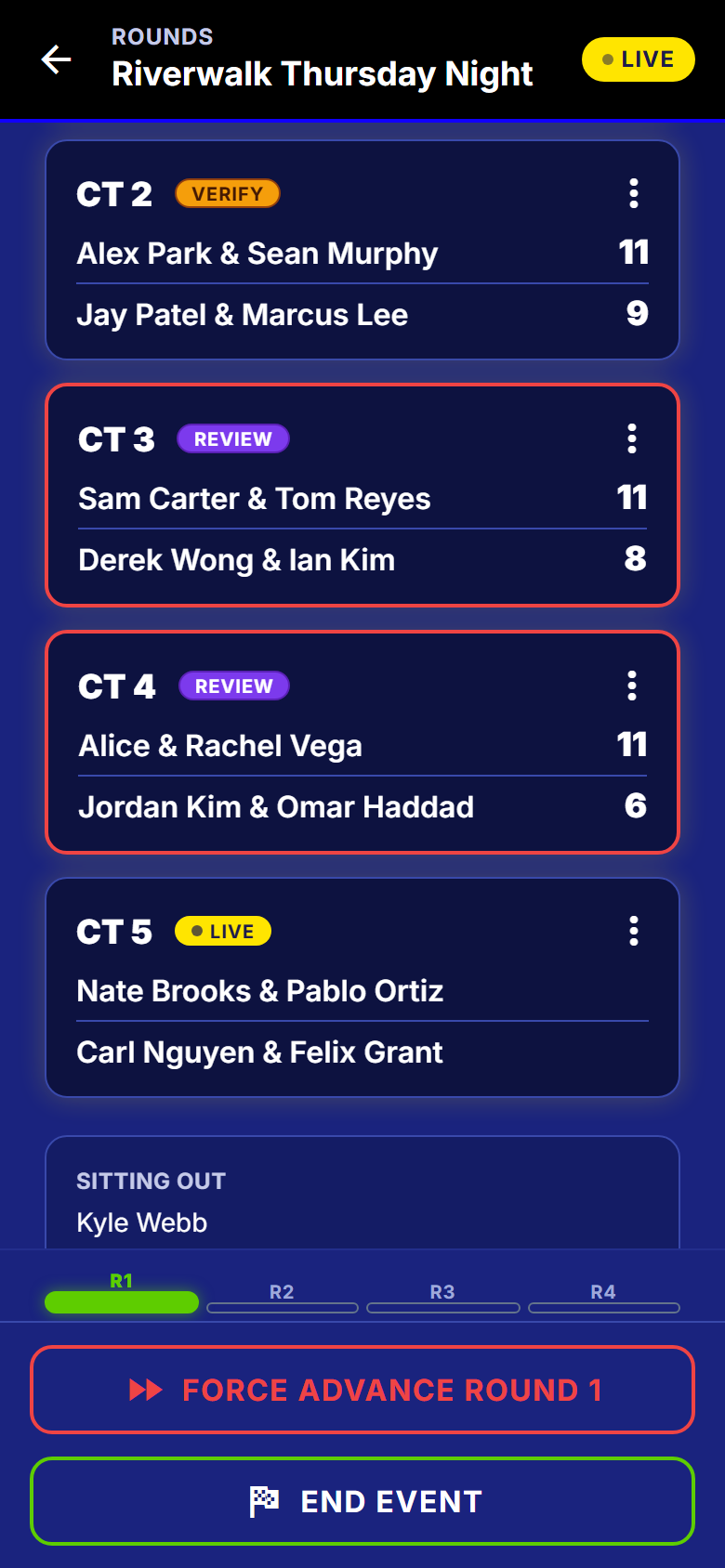
The round, with the sit-out named. Change a lineup or force a match from here.
When a match breaks down
- 4
When a match will not finish
A pair who left before scoring should not hold the whole night up. You have two ways past it, and they are not the same thing.
- Force advance pushes the match through so the round can move on.
- Void takes the match out of the standings altogether.
- Neither one undoes anything that was already recorded.
- 5
When someone leaves for good
Mark them left or remove them, and the night carries on around the gap. Nothing they already did is touched.
- Their scores stay on the record and in the table.
- If they come back next week, reinstate them and they are in again.
What to watch out for
Next
Running the night is the whole host screen these fixes live on, and seating a guest by name covers adding someone who has no account at all.
Get SmashDrop
Free for casual hosts. iOS and Android. No card.